How to Test a Solar Panel: A Step-by-Step Home Guide
Learn how to safely test a solar panel’s output, verify key readings (Voc, Isc, Vmp), and interpret results with a practical, homeowner-friendly approach. This guide from Solar Panel FAQ walks you through setup, measurements, and interpretation.


By following this guide, you will learn to safely test a solar panel’s output, diagnose common issues, and interpret readings like Voc, Isc, and Vmp. You’ll compare results to panel specs, consider sun exposure, and identify shading or wiring problems before a full installation. This quick start requires a multimeter, a safe work area, and a sunny day. We’ll focus on open-circuit voltage (Voc), short-circuit current (Isc), and maximum power points (Vmp/Imp) to verify performance.
What Does It Mean to Test a Solar Panel?
Testing a solar panel means verifying its electrical output under conditions close to real use and identifying issues that limit power generation. For homeowners, this means reading a few key parameters and comparing them to the panel’s datasheet. According to Solar Panel FAQ, the goal is to establish a baseline, confirm safety, and prepare for ongoing maintenance. In practice, you’ll look at open-circuit voltage (Voc), short-circuit current (Isc), and, under load, the maximum power point (Vmp and Imp). By understanding these measurements, you can assess whether a panel is performing as expected and plan for repairs or replacements if needed. The readings you obtain should be repeatable across multiple sunny periods, with shading considered as a potential source of variance. If readings are consistently out of spec, that may indicate a manufacturing defect or installation issue that deserves closer inspection.
Safety First: Precautions Before You Start
Working with solar equipment carries the risk of electric shock, burns, and arc faults. Before you begin, review the manufacturer’s safety instructions and wear protective gloves and non-conductive footwear. Ensure the panel is not producing current while you connect test equipment. Use insulated tools, keep metal jewelry away from terminals, and keep children and pets away from the work area. If you’re uncomfortable working at height, hire a licensed electrician or solar installer. Always work in daylight, not after dark or during heavy rain, and keep a spare fire extinguisher nearby as a precaution.
Tools and Measurements You’ll Use
To test a solar panel accurately, you’ll need a few essential tools and measurement concepts. A quality digital multimeter with current (amp) and voltage (volt) functions is necessary, along with a PV tester or IV curve tracer if available. You’ll measure Voc (open-circuit voltage), Isc (short-circuit current), and under load, Vmp (voltage at maximum power) and Imp (current at maximum power). Temperature can affect readings, so a basic thermometer can help you account for thermal variation. Check that all wiring is free of corrosion, that bypass diodes are intact, and that the panel connectors are clean and tight. Maintaining clean connections improves reading accuracy and safety.
Understanding Open-Circuit Voltage (Voc) and Short-Circuit Current (Isc)
Voc indicates the maximum voltage the panel can produce when no current is drawn. Isc reflects the current when the panel is shorted through an ammeter. Under standard test conditions, Voc should align with the datasheet’s specification, while Isc should fall within the manufacturer’s rated range. If Voc is significantly higher or lower than expected, inspect for damaged cells, loose connections, or shading. Isc readings are particularly sensitive to light intensity and temperature, so perform measurements during peak sun for consistency. Solar Panel FAQ analysis shows that these two readings form the baseline for all further tests and comparisons.
Maximum Power Point Testing: Vmp and Imp
Vmp is the voltage at which the panel delivers its peak power, and Imp is the corresponding current. Together they yield Pmax, the maximum electrical power the panel can provide. To test these, apply a variable load or use a PV tester designed for IV curves, and record Vmp and Imp under consistent illumination. Compare Vmp to the datasheet value at standard test conditions; small deviations are normal, but large discrepancies may indicate shading, aging cells, or wiring issues. If you don’t have IV tracing equipment, a carefully chosen load resistor can approximate Vmp.
Real-World Conditions: Roof vs Ground Testing and Shading Effects
Testing in real-world conditions requires considering sun angle, temperature, and potential shading from nearby structures or trees. If you’re testing on a rooftop, ensure secure footing and avoid distracting winds. Shading of even a small portion of the panel can dramatically affect readings, so test during optimal sun exposure and rotate the panel to map shade effects. Ground-mounted panels provide easier access for long measurements, but rooftop performance is what matters for production. Document any shading patterns and compare them across different times of day.
Interpreting Results and Next Steps
Once you have Voc, Isc, Vmp, and Imp readings, interpret them against the datasheet under standard test conditions. If all values fall within a reasonable range, your panel is performing well, and the array’s output should be robust under normal operation. If readings deviate beyond tolerance, check for damaged cells, loose connections, or degraded bypass diodes. After testing, record results, keep a maintenance log, and schedule professional inspection if you detect persistent abnormalities or safety concerns.
Tools & Materials
- Digital multimeter with volt and amp ranges(Must be capable of measuring DC voltages up to panel voltage and currents up to Isc)
- PV tester or IV curve tracer (optional)(Helps capture Vmp/Imp for precise Pmax)
- Solar panel safety gear (gloves, non-conductive shoes)(Protects against electric shock and burns)
- Alligator clips or meter leads(Secure connections to panel terminals)
- Non-conductive ladder or stable platform(Safe access to elevated panels)
- Fine-grit sandpaper or contact cleaner(Clean connectors if corrosion is present)
- Temperature gauge or handheld thermometer(Record ambient temperature for data context)
Steps
Estimated time: Total time: 30-45 minutes
- 1
Prepare workspace and safety gear
Clear the testing area, wear protective gear, and verify you have written manufacturer specifications. Ensure access to the panel and a sunny day for consistent illumination. This step sets the foundation for accurate readings and safe handling.
Tip: Use a dedicated insulated mat and keep metal jewelry away from terminals. - 2
Visually inspect the panel and wiring
Check for cracks, delamination, loose connectors, or corrosion on busbars. Inspect bypass diodes and mounting hardware. Address any obvious damage before proceeding to measurements.
Tip: Document any observed damage with photos for maintenance records. - 3
Set up measurement instruments safely
Connect the multimeter leads to the panel terminals with the panel de-energized. If using a PV tester, connect per the manufacturer’s directions and ensure all safety interlocks are in place.
Tip: Double-check polarity before taking readings to avoid false data. - 4
Measure Voc under open circuit
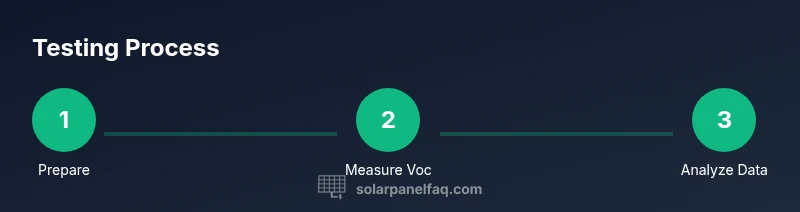
With the panel exposed to steady sun, measure the open-circuit voltage across the positive and negative terminals. Record the value and note ambient temperature, as Voc varies with temperature.
Tip: Keep the panel illuminated but not stressed by direct wind gusts. - 5
Measure Isc under load
Short the output through the meter’s current range (or a safe shunt) to measure Isc. This should be done under full sun and with proper safety, as current is the critical indicator of panel health.
Tip: Avoid running in reverse or applying excessive current. - 6
Assess Vmp and Imp (optional)
Under a load or with a PV tracer, find the voltage and current at maximum power output. Compare against datasheet values to gauge aging or shading effects.
Tip: If you don’t have IV tracing, use a well-chosen load to estimate Vmp. - 7
Compare results to datasheet and document
Align your readings with the datasheet’s target ranges, noting any deviations. Compile a simple report with dates, weather conditions, and readings for future reference or professional review.
Tip: Keep all data in a single log to track changes over time.
Frequently Asked Questions
What is the first thing I should do before testing a solar panel?
Begin with safety: inspect for damage, wear protective gear, and ensure the panel is accessible in daylight. Make sure the area is dry and the wiring is clearly visible before connecting any meters.
First, ensure safety by inspecting for damage and wearing protective gear, then verify access to the panel in daylight before connecting meters.
Which readings are essential when testing a panel?
Voc and Isc are baseline readings, while Vmp and Imp reveal performance under load. Compare all four to the datasheet values under standard test conditions for a complete picture.
Essential readings are Voc, Isc, Vmp, and Imp, compared to standard test data.
Can I test a panel under shade or partial sun?
Testing under shade is not ideal because it distorts current flow and power output. If you must, note sun conditions and compare against sunny-day results to understand shading impact.
Shade testing isn’t ideal, but if you must, record sun conditions to understand shading impact.
What should I do if Voc or Isc is outside the expected range?
Double-check connections and ensure no damaged wiring. If readings remain out of range, the panel or bypass diodes may be degraded; consult a professional for repair or replacement.
If readings are out of range after checks, consult a professional for repair or replacement.
Is it necessary to test Vmp and Imp?
Vmp and Imp provide a fuller picture of real-world performance, especially under load. If you have IV tracing equipment, use it; otherwise, approximate with a known load to gauge power output.
Vmp and Imp give a fuller picture; use them if possible, otherwise estimate with a load.
How often should I log solar panel tests?
Create a maintenance log and test annually, or after severe weather or events that could affect performance. Regular logs help detect gradual degradation earlier.
Maintain an annual log and test after major weather events to catch degradation early.
Watch Video
Top Takeaways
- Verify safety before testing and use proper PPE
- Record Voc, Isc, Vmp, and Imp to assess performance
- Compare results to datasheet under standard test conditions
- Document and log measurements for trend analysis
- Investigate and address shading, damage, or loose connections