How to Test Your Solar Panels: A Step-by-Step Guide
Learn how to test your solar panels at home with practical steps, safety checks, and how to interpret results. Clear guidance from Solar Panel FAQ to help homeowners verify performance and spot issues.


This guide helps you test your solar panels at home to confirm they produce expected power and to spot obvious faults. You’ll learn safe, practical checks—from reading inverter data to simple voltage tests under load—and when to pursue professional diagnostics. If you’re wondering how to test your solar panels, start with these baseline steps before calling a technician.
Understanding what to test
When you test your solar panels, you are looking for three kinds of indicators: how much power the system produces, whether the electrical wiring and modules are in good shape, and whether external factors such as shading or soiling are limiting output. Start by clarifying your goals: do you want to confirm baseline performance after a weather event, verify that the inverter is reporting correct values, or identify a likely fault that has reduced production? For homeowners asking how to test your solar panels, keeping the focus on measurable signals helps you decide whether a professional diagnostic is needed. In practice, a thorough check looks at real-time production data from the inverter, visual condition of panels, and any changes compared with your past readings. Documenting the date, weather conditions, and system size is essential so you can compare trends over time.
Baseline performance and weather normalization
A reliable test starts with a baseline. Baseline means knowing what the system typically produces under clear sun at a given time of day, then comparing today’s data to that reference. Because solar output varies with weather, shading, and season, it helps to normalize results using weather data such as irradiance and ambient temperature. If you have access to a monitoring portal, pull recent days of steady, sunny conditions and note the order of magnitude of production relative to system size. When you test again later, you can see whether the same day of the week and similar weather yield similar numbers. Use these baselines as your yardstick for detecting unusual drops or spikes.
Safe, at-home tests you can run
Start with non-invasive checks that don’t require you to touch live circuits. Inspect the inverter display to confirm it is online and reporting no fault codes. Use a smart meter or portable meter to observe the DC side only in easily accessible, de-energized points as permitted by manufacturer guidance. If you have a thermal camera or a heat-sensing app, scan panels from ground level or a safe distance for hotspots. Record any unusually warm areas and compare them to typical panel temperatures listed in your monitoring app. Avoid climbing on roofs or opening electrical cabinets unless you are trained and equipped for rooftop work.
Using your inverter/monitoring system
Modern solar systems expose a wealth of data in the inverter interface or mobile app. Learn to read key indicators such as current power output, daily energy production, and string voltages. Compare today’s numbers to your baseline, then check weather data for sun exposure. If production is persistently low, inspect the monitoring history for outages, alarms, or firmware updates that might affect accuracy. Some systems also provide microinverter/string alerts that point to specific panels. The goal is to identify whether the issue is systemic (whole array) or localized (a single string or module).
Visual inspection and common faults
Physical signs can tell a story without a meter swinging. Look for cracked glass, loose mounting hardware, delamination, and signs of water intrusion around seals. Check cabling for fraying or exposed conductors and verify that connectors are clean and firmly seated. If you spot discoloration, burn marks, or unusual odors near the inverter, note them for professional evaluation. While visual checks can help you spot obvious problems, they do not replace electrical testing by a qualified technician.
Interpreting power anomalies and weather factors
Power fluctuations aren’t always a fault; they can reflect normal daily cycles and weather. A sudden drop during a cloudy afternoon may be expected, while a gradual, unexplained decline over weeks deserves attention. Use weather-normalized comparisons and seasonal benchmarks to distinguish temporary weather effects from persistent performance loss. If readings remain off after weather adjustments, there may be shading from new growth, soiled panels, or aging hardware. In any case, record the context—time of day, sun angle, and recent cleaning—to help diagnose the cause.
When to call a professional and possible tests they will run
If home checks reveal persistent anomalies, it is prudent to involve a licensed technician. Professionals can perform electrical testing with specialized equipment such as insulation resistance meters, string current analysis, and module-by-module performance tests. They may also verify grounding, check for microinverter issues, and assess roof hardware integrity. A professional diagnostic often resolves the question: is the problem a single panel, a wiring fault, or something broader with the array? Scheduling a diagnostic promptly can prevent wasted energy and protect system longevity.
Authoritative Sources
- U.S. Department of Energy, Office of Energy Efficiency and Renewable Energy (EERE) Solar: https://www.energy.gov/eere/solar
- National Renewable Energy Laboratory (NREL): https://www.nrel.gov
- U.S. Environmental Protection Agency – Green Power Partnership Solar: https://www.epa.gov/greenpower/solar
Note: Always follow safety guidelines and manufacturer instructions when performing any tests.
Tools & Materials
- Digital multimeter (DC voltage/current)(Select appropriate DC voltage range for your system (up to 1000V DC if needed))
- Electrical safety gloves(Non-conductive, ANSI rated)
- Infrared thermometer (optional)(Helpful for hotspot detection)
- Solar PV inverter monitoring app/display(Access to live production, array voltage, string current)
- Voltage tester (DC) or camera for visual check(Non-contact testers are limited; rely on proper DC testing where possible)
- Ladder and fall protection gear(Only if roof access is planned; always prioritize safety)
- Notebook and pen(Log readings, weather, and dates)
- Camera or smartphone(Document visible issues for reference)
Steps
Estimated time: 60-120 minutes
- 1
Prepare safety gear and tools
Assemble your PPE, verify weather conditions, and lay out all tools within reach. Ensure you have a non-conductive path and clear access to the monitoring display.
Tip: Double-check sun exposure and avoid testing during rain or high wind. - 2
Review inverter data to establish a baseline
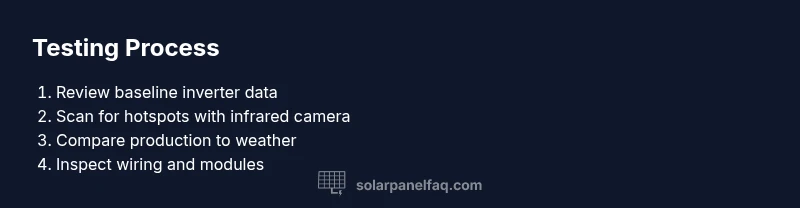
Turn on the monitoring display or app and record current total production, array voltage, and string current. Note any alarms or error codes.
Tip: Take a photo of the screen for future comparison. - 3
Scan for hotspots with infrared imagery
Use an infrared camera or thermographic app to look for hotspots on panels. Hotspots indicate damaged cells or poor connections.
Tip: Highlight any area over your device's safe threshold for closer inspection. - 4
Compare current production to weather-normalized expectations
Consult weather data for the day and estimate expected production based on system size. A significant deviation warrants further checks.
Tip: Keep in mind partial shading and soiling can reduce output. - 5
Inspect wiring and modules from safe vantage
From ground level, visually inspect for loose connectors, corrosion, cracked panels, or discoloration. Do not touch exposed conductors.
Tip: Note any damaged components and photograph before contacting a professional. - 6
Document results and decide on next steps
Compile your measurements, conditions, and photos. If readings are within expectations, schedule routine maintenance; if not, plan a professional diagnostic.
Tip: Create a maintenance schedule and store results for future comparisons.
Frequently Asked Questions
Is it safe to test solar panels while the system is energized?
Most checks can be performed without powering down, but avoid touching live DC wiring. Use monitoring data and non-contact tools to minimize risk.
You should generally avoid touching live wiring; use the monitoring dashboard and non-contact scans for safety.
What readings should I expect on a sunny day?
Production should align with system size and sun exposure; weather data helps normalize results. Large deviations may indicate a fault or shading.
Expect production roughly proportional to sun exposure and system size; significant deviations warrant further checks.
What if I notice a hotspot on a panel?
Stop any live tests that require touching panels and consult a professional. Hotspots can indicate cell damage or bad connections.
If you see a hotspot, stop tests and call a solar professional promptly.
How often should I test my solar panels?
Test after major weather events, after cleanings, or seasonally to catch performance changes early.
Regular checks, especially after hail or heavy dust, help maintain output.
Do I need professional testing for performance issues?
If anomalies persist after basic home checks, a professional diagnostic will assess wiring, grounding, and string performance with specialized equipment.
Yes—persistent issues benefit from professional diagnostic tools and expertise.
What tools do I need for basic tests?
A digital multimeter, proper PPE, and access to inverter data cover most home tests. Keep notes and photos for reference.
Essential tools are a multimeter, PPE, and your inverter dashboard.
Watch Video
Top Takeaways
- Plan testing on good weather days for consistency
- Use inverter data as the baseline anchor
- Spot check for hotspots and loose connections
- Document everything for trend analysis
- Escalate to a pro if anomalies persist