How to Check Solar Panel Wattage
Learn to verify a solar panel's wattage by reading nameplates, consulting datasheets, and using safe measurements. This guide walks homeowners through steps, tools, and checks to ensure accurate panel and array sizing.


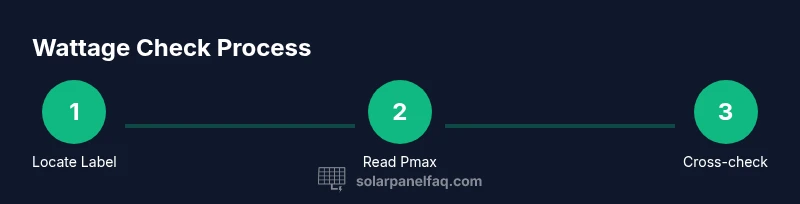
To check solar panel wattage, start with the nameplate or datasheet to read the panel’s Pmax rating. If safe and accessible, confirm with a PV meter or monitoring app, then for a multi‑panel array sum each panel’s wattage to estimate total capacity. You’ll need the correct model information, safe access, and a calculator.
Why knowing wattage matters for a home solar setup
Understanding the wattage rating of each solar panel is foundational to sizing, budgeting, and predicting energy production. The wattage (Pmax) tells you how much power a panel can produce under standard test conditions, and it directly influences how many panels you need in your array. According to Solar Panel FAQ, knowing the wattage and reading the nameplate or datasheet is the most reliable way to verify a panel’s true capacity, rather than relying on impressions or marketing claims. Homeowners who confirm Pmax before purchasing can avoid over- or under-sizing their system, ensure compatibility with inverters, and plan for future expansion. For most residential roofs, panels in the 250–370 W range are common, but the exact wattage depends on the cell technology, efficiency, and size. By starting with the official rating, you build a solid foundation for system performance estimates, monitoring, and long-term reliability.
How wattage is labeled on panels
Most solar panels display a nameplate on the back or a label on the frame that lists the rated wattage (Pmax), voltage at maximum power (Vmpp), current at maximum power (Impp), and other specs. The primary figure you want is Pmax, expressed in watts (W). In practice, reading this label gives you a quick, trustworthy number to use when planning your array or comparing panels. The datasheet, usually available from the manufacturer, provides a more rounded set of performance characteristics, including temperature coefficients and radiant energy assumptions. When you compare panels, always check Pmax and Vmpp together, because real-world performance is influenced by temperature and sunlight conditions. If a warranty or installation quote includes a wattage figure, verify that it matches the nameplate and datasheet to avoid surprises later on.
Methods to verify wattage: label lookup, datasheet, and measurement
There are three practical paths to confirm panel wattage. First, read the nameplate on the panel; this is the fastest method and typically the most reliable when you can access the front or back safely. Second, open the datasheet from the manufacturer and locate the Pmax rating for exact wattage and tolerance. Third, if you have safe access to the system, you can measure electrical parameters with appropriate equipment and interpret the results in light of STC assumptions. In all cases, document the rated wattage, reading of Vmpp and Isc if available, and any temperature considerations. Remember, field measurements are influenced by sun angle and ambient temperature, so use them as supplementary rather than sole evidence of wattage.
Reading the datasheet and labels: what to look for
When examining a label or datasheet, focus on Pmax; this is the panel’s nominal wattage. Also note Vmpp (volts) and Impp (amps) because these values help you gauge interface with the inverter and overall system design. Temperature coefficients indicate how wattage drops in heat, which is common on hot days. Tolerances tell you the acceptable variance from the rated wattage, usually a percentage like 0 to +/- a few percent. Some manufacturers publish a range for Pmax; if so, use the lower bound for safety calculations. Keep a copy of the datasheet for future reference, especially when panels are replaced or when estimating system performance over time.
Calculating wattage for a panel array vs a single panel
For a single panel, watts = Pmax as listed on the nameplate or datasheet. When you have multiple panels in series or parallel, sum their Pmax values to estimate the array’s nominal wattage under standard test conditions. Temperature effects will decrease real-world output, often by several percent at high temperatures, so include a conservative derating factor in planning. If you plan to upgrade or reconfigure your array, re-calculate the total wattage using the same Pmax basis to maintain accuracy. In practice, monitoring your system with an app or inverter display provides ongoing validation of your expected wattage.
Safety, caveats, and when to call a pro
Do not attempt measurements on live wiring or high-voltage DC connections without training and proper PPE. Always isolate the panel string and use insulated tools and gloves. If you cannot access the label or datasheet, contact the manufacturer or a qualified solar installer for wattage confirmation. Real-world performance will differ from STC-based Pmax due to temperature, shading, and angle of sunlight. Use wattage information as a planning guide, not a guaranteed daily output.
Tools & Materials
- Digital multimeter (DMM)(Essential for measuring Voc and Isc if you attempt field measurements.)
- PV meter or DC clamp meter(Recommended for safe, accurate measurement of current in a live system.)
- Safety gloves(Protect hands from electrical risk and sharp edges.)
- Safety goggles(Eye protection when inspecting panels and connectors.)
- Manufacturer datasheet or access to nameplate(Required to verify Pmax and related specs.)
- Camera or smartphone(Helpful for documenting labels and labels for records.)
- Calculator(Needed to compute totals and derating factors.)
- Insulated tools(Optional but beneficial for safe handling.)
Steps
Estimated time: 30-45 minutes
- 1
Find the panel’s model number and locate the nameplate
Locate the model number on the back or frame and read the nameplate for Pmax, Vmpp, and Impp. If you have the datasheet, verify that the nameplate data matches the official specs. Photograph the label for your records.
Tip: Use a flashlight if the label is hard to read; verify the model number with the manufacturer’s site. - 2
Read and record Pmax from the label/datasheet
Write down the Pmax rating in watts (W). Note Vmpp (volts) and Impp (amps) if listed, since these help with inverter compatibility and planning. Keep a copy of the datasheet for future reference.
Tip: Double-check units (W, V, A) and tolerances on the datasheet. - 3
Optionally measure Voc and Isc with proper safety
If you have safe access and training, isolate the panel from the system and measure Voc (open-circuit voltage) and Isc (short-circuit current) using a PV meter. Do not touch live connectors while measuring.
Tip: Only attempt this if you’re comfortable with electrical safety; otherwise rely on manufacturer data. - 4
Compare measurements with the datasheet under STC
Compare any field measurements with the datasheet values, understanding that temperature and sun conditions affect real-world results. Use STC (standard test conditions) as a baseline, not a guaranteed daily output.
Tip: Remember temperature can reduce output; derate expectations accordingly. - 5
Calculate system wattage for multiple panels
For an array, sum the Pmax values of all panels to estimate total wattage under STC. Apply a derating factor to account for temperature, shading, and aging.
Tip: Document each panel’s Pmax to facilitate future upgrades or replacements. - 6
Cross-check with inverter/monitoring data
Use the system inverter or monitoring app to corroborate the expected wattage. Real-time data helps validate planning assumptions and catch mismatches.
Tip: If inverter reads lower than expected, inspect wiring or shading issues.
Frequently Asked Questions
How do I find the wattage of a solar panel?
Start with the nameplate on the panel or the manufacturer datasheet. The wattage is listed as Pmax in watts. If you can access the label safely, that is the quickest confirmation. Compare this value with the datasheet for consistency.
Check the nameplate for the Pmax rating first. If safe, verify with the datasheet to confirm the wattage.
Can I trust the wattage printed on a panel’s label?
Yes, the label’s Pmax and the datasheet are the primary sources of truth. Temperature and aging can affect real-world output, but the listed wattage is the baseline for design and comparison.
The label and datasheet are the best sources for panel wattage.
Is wattage the same as what I see on my inverter?
Wattage (Pmax) is the panel's rated output under standard conditions. The inverter may show system DC input watts, which can differ due to wiring, temperature, and shading. Use both figures for planning.
The inverter data helps you verify real-world output, not replace panel wattage.
What if the datasheet lists a different wattage than the label?
Rely on the datasheet for the official rating. Variations can occur due to tolerances; the Pmax in the datasheet often reflects testing conditions. If in doubt, contact the manufacturer or installer.
If there’s a mismatch, trust the datasheet and verify with the installer.
Do temperatures affect wattage in real life?
Yes. Higher temperatures typically reduce panel efficiency, lowering real-world wattage from the nominal Pmax. DESCRIBE DERATE as a factor when estimating daily production.
Temperature lowers real output, so plan with a derate.
Are there safety concerns when checking wattage?
Yes. Work only after turning off power where required, wear PPE, and avoid live connections. If you’re unsure, hire a professional.
Safety first—don’t work on live systems unless you’re trained.
Watch Video
Top Takeaways
- Locate Pmax on the nameplate or datasheet
- Verify with labels and datasheet when possible
- Sum Pmax for multi-panel arrays to estimate total wattage
- Cross-check with inverter/monitoring data for accuracy