Why Residential Solar Panels Stop Working: Quick Fixes and Troubleshooting
Urgent, step-by-step troubleshooting guide to why residential solar panels stop working and how homeowners can diagnose, fix, and prevent outages safely in 2026.


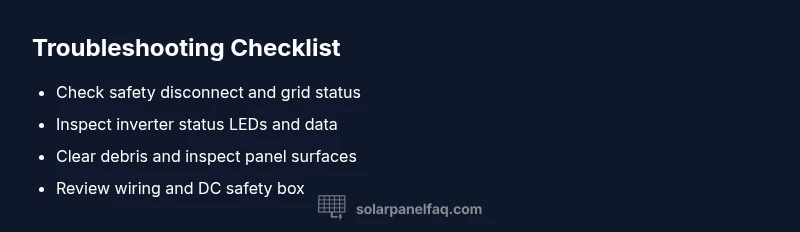
The most likely causes are shading or soiling, inverter or disconnect faults, and temporary grid issues. Start by checking the safety switches, then inspect the inverter LEDs and monitored data. If you still have zero power, re-test step by step and contact a licensed technician for a deeper diagnosis. Urgent troubleshooting can save energy, money, and your system warranty.
Understanding the symptom: why would residential solar panels stop working
If you're asking why would residential solar panels stop working, you’re not alone. You’ll often notice a sudden drop in production or a complete halt in generation after a stretch of bright sun. The three most common culprits are shading or soiling on the modules, an outage or fault in the system’s control equipment (the inverter or safety disconnect), or a grid-related interruption that prevents exporting power. In many cases, the fix is straightforward: clear debris, recheck connections, or reset a malfunctioning component. Yet safety remains paramount because solar installations run at high voltages and tie into the utility grid. This guide lays out practical checks you can perform and exactly when to call a professional. Acting quickly and safely protects your investment and keeps energy flowing to your home.
1) Start with the basics before you panic
Begin by confirming the obvious: is the monitoring app reporting zero production? Are there fault codes or recent weather events that line up with the drop? If the grid is down, your system won’t export power even when everything on-site is healthy. If the grid is up, the issue is more likely internal to your array. Check for tripped switches, loose connections, and ensure the main DC disconnect is ON. Note when the problem started and any roof work or electrical changes that occurred recently. Small clues—like one column of production data or a display message—can point you toward the right component. Have a ladder, PPE, and a flashlight ready for safe inspection. If you’re unsure at any point, postpone roof work and call a professional.
2) Check the AC disconnect and main service
The exterior AC disconnect box controls whether the inverter can deliver electricity to your home and the grid. If this switch is OFF, there will be zero AC output even if the panels generate DC power. Make sure the lever is clearly ON and inspect for signs of arcing or damage. Then inspect your main service panel; if an upstream breaker has tripped, reset it following the manufacturer’s instructions. If the breaker trips again or you notice burns or smells, stop and contact a licensed electrician or your installer. Also verify there are no burn odors near electrical boxes. Safety risks require professional handling.
3) Inspect the inverter and monitoring data
The inverter is the heart of many solar arrays, converting DC to AC for your home. Check the inverter display for error codes, fault indicators, or flashing lights. Consult the manual to interpret codes and perform a safe reset if recommended by the manufacturer. Review the online monitoring platform for alerts like “no data” or “communication lost.” If the inverter is offline, a safe reset might fix a temporary glitch, but persistent faults usually require professional diagnosis or replacement. Keep a log of any fault codes and times they occur to speed up future service.
4) Panel-level issues: shading, dirt, or damage
Even on bright days, shade or soiling on a portion of the array can drag down overall production. Look for branches, new construction shadows, or leaves drifting across the panels during peak sun. Clean debris with a soft brush or a gentle spray of water, following the manufacturer’s guidance. Inspect for visible damage such as cracks, delamination, or discoloration on individual modules; damaged panels should be evaluated by a professional for safety concerns and potential replacement. After cleaning or repairs, compare current production data with historical trends to confirm improvement.
5) Grid outages and external factors
Sometimes the culprit isn’t on your roof at all. Utility grid outages, voltage fluctuations, or local maintenance work can suppress solar output even when your equipment is healthy. Check your utility’s status page or outage alerts. Temperature extremes and aging components can also reduce performance; a system that’s several years old may benefit from a professional inspection to assess aging hardware, cabling, and safety switches. When the grid returns, monitor production to confirm normal operation resumes.
6) Battery storage considerations if you have one
For systems with batteries, a failing battery or controller can mask panel output. Check the battery state of charge, temperature, and health indicator on the battery management system. If the battery is full or cycles poorly, it may limit or interrupt AC generation. If safe and feasible, test with the storage system isolated to determine whether the panels and inverter operate independently of storage. If issues persist, seek a professional with battery expertise to diagnose cell degradation or controller faults.
7) Wind, weather, and seasonal effects
Seasonal changes, high winds, hail, or heavy rainfall can temporarily impact performance or cause micro-damage that isn’t immediately visible. Review recent weather events and correlate them with production dips. After severe weather, inspect mounting hardware for looseness and verify that all conduit and cables remain intact. In many cases, the system recovers once the weather passes, but recurring patterns warrant a professional check.
8) Creating a maintenance plan to prevent future outages
Once you’ve identified and fixed the current issue, establish a proactive maintenance routine. Schedule seasonal inspections of panels, wiring, inverters, and safety switches. Keep panels clean, trim potential shading obstacles, and ensure monitoring data is accurate for quick alerts. Document service steps and outcomes, including any parts replaced or reconnected. A consistent maintenance plan helps extend system life, protect warranties, and keep your home powered even during peak demand.
Steps
Estimated time: 60-120 minutes
- 1
Power down safely and gather tools
Turn off the DC disconnect and, if safe, the AC disconnect. Gather PPE, a flashlight, a non-metallic tool, and a camera or notepad to document findings. This reduces risk and ensures you can document proof of conditions for the technician.
Tip: Always verify you’re at the correct disconnect before touching any wiring. - 2
Check AC disconnect and main service
Locate the exterior AC disconnect and confirm it’s ON. Look for signs of arcing or heat. Then inspect the main service panel for any tripped upstream breakers and reset if appropriate.
Tip: If a breaker trips again, stop and contact a licensed electrician. - 3
Inspect the inverter and monitoring data
Check the inverter display for error codes and status LEDs. Perform a safe reset if the manual permits. Review the monitoring app for ‘no data’ or ‘communication lost’ messages.
Tip: Document any fault codes and times to help the technician. - 4
Assess panels for shading and cleanliness
Walk the array safely to look for shading from trees or new construction. Clean loose dirt with a soft brush or gentle water spray, following the manufacturer’s guidelines.
Tip: Avoid high-pressure jets and harsh cleaners that can damage glass. - 5
Check DC wiring and safety box
With the system powered down, inspect the DC conductors and safety disconnect for loose connections or damaged insulation. Do not touch live conductors.
Tip: If you’re unsure, stop and call a professional. - 6
Isolate storage (if applicable) and re-test
If you have battery storage, temporarily isolate it to see if the inverter operates normally without storage load.
Tip: Only attempt this if you know how to safely disconnect the battery system.
Diagnosis: System stops producing power or shows zero output despite sun exposure
Possible Causes
- highGrid outage or utility service interruption
- highShading or dirt on panels
- highInverter fault or tripped safety switch
- mediumLoose wiring or damaged DC disconnect
- lowBattery storage issue (if applicable)
Fixes
- easyVerify grid status with utility; if outage, wait for restoration
- easyInspect for shading or debris; clean panels if safe
- easyCheck inverter status LEDs and perform a manufacturer-approved reset
- mediumInspect DC wiring and safety disconnect for looseness or damage
- hardConsult a licensed solar technician for deep diagnostics or replacement
- mediumIf applicable, review panel warranty options and replacement procedures
Frequently Asked Questions
Why might my solar panels stop generating power even on sunny days?
Several factors can cause this, including inverter faults, a tripped safety switch, shading or dirt on panels, or a grid outage. Start with basic checks like the AC disconnect and inverter LEDs, then review monitoring data for clues. If production remains zero, call a licensed technician for a deeper diagnosis.
Several factors can cause zero production, including inverter faults, a tripped switch, shading, or grid outages. Start with the basics and consult a technician if it persists.
Can a simple reset of the inverter fix generation problems?
Sometimes a safe inverter reset clears a temporary fault, but persistent codes indicate a deeper issue. Always follow the manufacturer’s reset procedure and avoid repeated resets if a fault remains. If the problem continues, contact a professional.
A safe reset can fix temporary faults, but if codes persist, call a professional.
How does shading affect solar performance?
Shade reduces output and can drag down whole strings, even if only a portion of the array is shaded. Identify shading sources such as trees or new structures and trim or relocate as needed. Regular cleaning helps, but persistent shading requires a design adjustment.
Shade can dramatically reduce output; identify and mitigate shading sources to restore performance.
When should I contact a professional for solar troubleshooting?
If you cannot access equipment safely, if the inverter shows fault codes you can’t clear, or if production remains abnormal after basic checks, it’s time to call a licensed solar technician. They can diagnose wiring, inverter, or safety-system faults and discuss warranty options.
Call a professional if basic checks don’t restore function or if there are persistent fault codes.
Can grid outages impact my system even when it’s functioning correctly?
Yes. During a grid outage, most systems are designed to island and stop exporting to protect utility workers. Check outage status with your utility and review monitoring data for outages. Once power is restored, verify that production returns to normal.
Grid outages can stop your solar export even if your hardware is fine.
Watch Video
Top Takeaways
- Test basics first and prioritize safety.
- Inverters and safety disconnects are common fault points.
- Monitor data trends to identify patterns quickly.
- Involve a licensed professional for hard diagnostics or warranty issues.