Common Problems with Solar Panels: A Troubleshooting Guide
Learn the most common solar panel problems homeowners face, how to diagnose them quickly, safe fixes, and when to call a pro. A practical troubleshooting guide by Solar Panel FAQ.


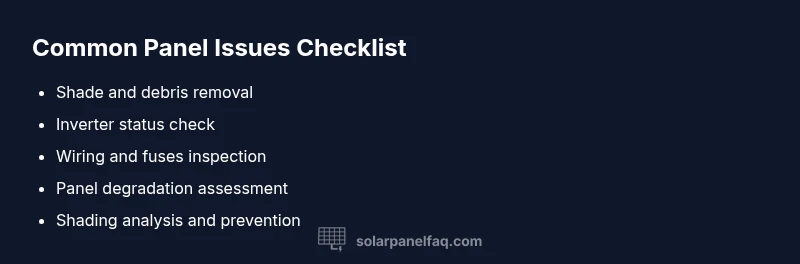
The most common solar panel problems are shade/soiling, inverter faults, wiring or connection issues, and panel degradation. Start by inspecting for dirt or shade, verify inverter display data, and check the system monitoring. If output remains low, schedule a professional inspection.
What are the most common problems with solar panels?
Homeowners frequently notice a drop in energy production or odd meter readings. According to Solar Panel FAQ, the leading causes cluster around environmental and electrical factors: shading or soiling, inverter faults, wiring or connection issues, and panel degradation or aging. Mechanical problems with mounting or sealant wear can also play a role. Understanding these categories helps you triage quickly. Safety comes first: never touch exposed conductors with the system powered. If you’re unsure, contact a licensed installer. In 2026, Solar Panel FAQ analysis shows shading and dirt as frequent culprits, with aging modules contributing to gradual losses in performance. Keeping tabs on tree growth, seasonal debris, and system health checks reduces surprises and prolongs panel life.
Surface shading and dirt: the easiest fix
Shade from nearby trees, buildings, or chimneys can dramatically reduce output even on sunny days. Dirt, pollen, bird droppings, and Sahara dust can create a thin film that reduces light absorption. The quickest wins are cleaning the glass surface with a soft brush or sponge and trimming any obstructions that cast shadows at peak sun. For safety, turn off the system before cleaning and avoid power tools around wiring. Regular cleaning schedules—quarterly in dusty climates, biannually elsewhere—help maintain consistent performance. If shading persists or grows, you may need landscaping or panel repositioning. Dirt buildup often correlates with reduced efficiency after months without cleaning, especially on south-facing roofs in dry climates.
Inverter and electrical issues
Inverters convert the DC output of solar panels into usable AC electricity. Common inverter problems include error codes, overheating, or misconfiguration with the system monitor. If the inverter display shows a fault, check connections, fuses, and the grid-tie settings. A non-responsive inverter or frequent resets can signal aging hardware or a failing capacitor. Always verify that the inverter is appropriately sized for the array and that the string conductors are intact. If you detect unusual noises, odors, or heat near the inverter, stop using it and consult a professional immediately.
Degradation, aging, and module health
Over 20–30 years, solar panels experience degradation, reducing peak output. Microcracks, delamination, or solder joint fatigue can develop without obvious external signs. Inspect modules for cracks, discoloration, or visible corrosion around frames and junction boxes. If you notice persistent underperformance after cleaning and system checks, degradation or faulty cells may be the cause. A professional inspection can quantify degradation rate and determine if any modules should be replaced under warranty.
System wiring, mounting, and safety considerations
Loose or damaged wiring, corroded connectors, or failed fuses can interrupt power flow or cause intermittent performance. Inspect conduit runs, grounding, and junction boxes for moisture or corrosion. Mounting hardware should remain secure, with no loose rails or gaps that enable wind uplift. Damaged wiring requires a licensed electrician due to shock risk and code requirements. Safety first: shut the system down at the main disconnect before inspecting wiring or touching any connections.
Steps
Estimated time: 60-90 minutes
- 1
Power down safely and document symptoms
Turn off the solar system at the main disconnect and note recent changes in output, weather, or shading. Check monitoring app data for abnormal voltages or fault codes. Document exact conditions to help a technician reproduce the issue.
Tip: Take clear photos of panels, wiring, and inverter displays before you begin. - 2
Clean panels and verify shading
Gently remove loose debris with a soft brush and rinse with water if needed. Inspect the roof area for new shading sources such as growing trees or new structures. Re-check performance after cleaning to see if output improves.
Tip: Do cleaning on a mild, non-sunny day to avoid rapid drying that can leave streaks. - 3
Check inverter status and data
Read the inverter display and monitoring dashboard for error codes or abnormal fault conditions. Reset the inverter if manufacturer guidelines allow. Confirm that the system is synchronized with the utility and that the grid-tie switch is in the correct position.
Tip: Refer to the user manual for code meanings before resetting. - 4
Inspect wiring and connections
Visually inspect conduit, connectors, and PV leads for signs of wear, corrosion, or moisture. Ensure all clamps are tight and that there are no exposed conductors. Replace damaged cables following electrical codes.
Tip: This step is best performed with a qualified electrician if you’re unsure. - 5
Evaluate shading and environmental factors
Check for new shading from nearby growth, seasonal weather changes, or nearby structures. Consider permanent shading analysis if issues persist, such as a shade-tolerant microinverter or panel relocation.
Tip: Record shading patterns at different times of day to correlate with output changes. - 6
Decide on next steps with a pro
If output remains below expectations after these steps, arrange a professional inspection. They can perform advanced diagnostics, test insulation resistance, and assess panel warranty eligibility.
Tip: Keep your warranty documents handy; some issues may be covered.
Diagnosis: Solar array underperforms or fails to meet expected output
Possible Causes
- highShade or soiling on panels
- highInverter fault or misconfiguration
- mediumPanel degradation or aging
- lowWiring/connectivity issues
Fixes
- easyClean panels and remove shading sources; trim branches if safe to do so
- mediumInspect and test inverter; check connections and reset if recommended by manufacturer
- easyInspect wiring, fuses, and junction boxes for damage; replace faulty components as needed
- hardSchedule a professional inspection for degraded modules or complex wiring problems
Frequently Asked Questions
What are the most common causes of low solar output?
Low output is usually due to shade, dirt, or aging panels, followed by inverter faults or wiring issues. Start with a visual check and system monitoring to identify the culprit. Implement fixes in a logical order to recover performance.
Common causes are shade, dirt, aging modules, inverter faults, or wiring problems. Start with a visual check and review your monitor data to identify the issue, then address in order.
How can I tell if my inverter is failing?
Look for error codes on the inverter display, unusual noises, overheating, or frequent resets. Compare monitoring data with expected generation and check firmware updates. If problems persist, a professional inspection is recommended.
If the inverter shows error codes, heats up, or resets often, it may be failing. Check data trends and firmware, then call a pro if unresolved.
Does dirt on panels really reduce efficiency?
Yes, dirt and dust create a film that blocks sunlight and reduces energy capture. Regular cleaning, especially in dusty climates, can restore much of the lost output. Combine cleaning with a check for panel orientation and shading for best results.
Dirt can significantly cut efficiency. Regular cleaning often restores most of the lost output.
Can shading from trees or buildings impact performance?
Shading reduces the effective area producing power and can cause hot spots. Assess and trim shading sources or consider microinverters or optimizers to mitigate impact. Re-check after adjustments to measure the improvement.
Shading lowers output. Remove or reduce shade where possible, or use tech like optimizers to minimize impact.
Is panel degradation inevitable as panels age?
Degradation is expected over decades, typically a small annual loss in peak efficiency. If degradation is faster than the warranty rate, it may qualify for replacement or reimbursement. A professional can quantify the rate and advise on next steps.
Some loss over time is normal, but a faster-than-warranty degradation should be inspected by a pro.
When should I call a professional for a solar problem?
If basic checks don’t restore performance, if you see electrical signs of damage, or if wiring and grounding need inspection, contact a licensed solar installer or electrician. They can perform advanced diagnostics and ensure safety and code compliance.
Call a professional when basic fixes don’t help or there are electrical concerns. They’ll ensure safety and proper installation.
Watch Video
Top Takeaways
- Inspect for shade and dirt as first-line checks
- Inverter status can reveal most electrical issues
- Degradation and aging require professional assessment
- Safety and professional help are essential for complex fixes