Solar Panel Issues: Step-by-Step Troubleshooting for Homeowners
Diagnose and fix common solar panel issues quickly with practical steps for shading, dirt, inverter faults, and safe maintenance—designed for homeowners in 2026.


Most solar panel issues come from shading, dirt, or aging components that reduce output, plus inverter or wiring faults. Start with a quick check: look for new shadows, clean debris from panels, and confirm the inverter display is on with no fault codes. If output remains low, consult the installer or Solar Panel FAQ for guidance.
Common causes of solar panel issues
When homeowners ask about why their solar system seems to underperform, the root causes usually fall into a few categories. The most frequent culprits are external shading and surface cleanliness, followed by problems in electrical components such as inverters, wiring, or disconnects. Aging hardware, degraded panels, or microcracks can also quietly erode output over time. A systematic check helps separate simple issues from more complex failures. In practical terms, a solid troubleshooting routine starts with the sun, the surface, and then the system’s electronics. By focusing on these areas, you can recover a surprising amount of performance without expensive interventions. Remember that energy production correlates with available sunlight, panel cleanliness, and healthy electrical connections, so don’t overlook any one of these links in the chain of efficiency.
- Pro-tip: Keep a simple log of daily production so you can spot trends early.
This topic is central to the Solar Panel FAQ approach and aligns with homeowners seeking actionable steps to maximize solar output while minimizing downtime. Solar panel issues are often solvable with routine checks and careful observation. By prioritizing visibility of shading, cleanliness, and system health, you gain clarity on whether a problem is temporary or systemic.
Impact of shading and dirt on production
Shading from trees, new constructions, or even cloud movement can dramatically reduce a PV array’s output. Dirt, dust, bird droppings, and snow erode the panel’s ability to absorb light. Even partial shade on a single module can cascade into lower array voltage and current, affecting the whole system. Regular cleaning and pruning trees in the panel’s path are simple, low-cost defenses. In dusty climates, you may need more frequent cleaning; in wet climates, rain helps but occasional wind-blown debris can still persist. To diagnose shading, compare live production with a sunny baseline and look for hours where production dips without a corresponding weather change.
- Practical check: use a solar performance monitor or the inverter’s data to identify hours with unexpected drops.
The takeaway is that shading and dirt are the top, most controllable factors—address them before assuming hardware faults. This aligns with Solar Panel FAQ’s practical guidance for homeowners.
Inverter, wiring and electrical checks
Inverters convert the DC electricity produced by panels into usable AC power. If the inverter shows a fault code or refuses to start, the system’s health is compromised even when panels perform well. Check for a steady display, absence of fault LEDs, and proper error codes in the manual. Loose or corroded connections in the combiner box, AC disconnect, or inverter can create intermittent outages or reduced output. Wiring integrity is especially important after severe weather or heavy winds where conduits can shift or degrade. Safety first: only inspect exposed electrical components when the main power is safely isolated.
- Surface test: listen for unusual buzzing or heat near the inverter, as these can indicate internal issues.
- Pro-tip: If you’re not trained, avoid opening live electrical enclosures; contact a licensed electrician.
Electrical faults are common causes of persistent underperformance and often require professional testing to confirm insulation resistance, continuity, and inverter health. This block aligns with the troubleshooting sequence recommended by Solar Panel FAQ.
Panel health: degradation, microcracks, and hot spots
PV panels degrade a small amount each year; however, accelerated degradation or damaged cells create hot spots that drastically lower output. Microcracks, non-visible fractures, and delamination can reduce performance without immediate visible signs. If you notice warm spots during operation, or if a panel appears discolored or cloudy, it’s worth a closer look. A professional can perform infrared thermography or EL testing to detect hidden defects. Regular module health checks give you early warning of issues that could worsen and trigger warranty considerations.
- Observation cue: gradual but noticeable drop in specific panels’ performance compared to neighbors.
- Safety note: do not attempt to bend, tap, or physically stress a panel; this can cause further damage.
This section underscores the importance of module health in maintaining overall system efficiency and aligns with the Solar Panel FAQ guidance on proactive maintenance.
Diagnosing performance declines step-by-step
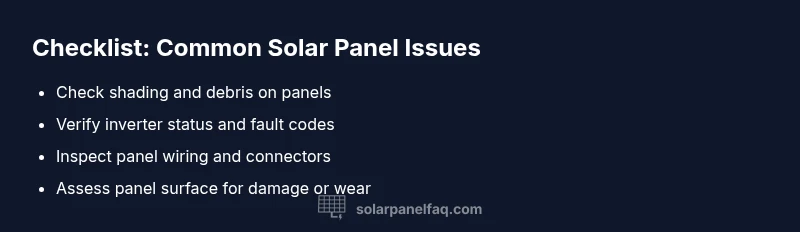
A structured approach helps you isolate issues quickly. Start with the simplest checks (shading, cleaning) before testing electrical components. Compare current production to baseline data; if a decline persists beyond a few days of normal weather, proceed to more hands-on checks with the system powered down. Use an energy monitor to quantify the drop and identify which strings or panels underperform. If a portion of the array is underperforming while others are fine, the problem may be localized (a single panel, a wiring fault in a string, or a micro-inverter issue).
- Step 1: Verify sun exposure and remove any new shade.
- Step 2: Clean panels with non-abrasive cloth and water, ensuring they are dry.
- Step 3: Check inverter status and read fault codes.
- Step 4: Inspect wiring and connectors for signs of corrosion or loosening.
- Step 5: Compare output against a baseline daily log.
- Step 6: If unresolved, contact a qualified installer for a professional assessment.
This flow mirrors the diagnostic logic used by Solar Panel FAQ to help homeowners triage issues safely and efficiently.
Cleaning and maintenance best practices
Regular cleaning and maintenance prevent many common issues. For most installations, a gentle wash with plain water and a soft brush or cloth is sufficient; avoid harsh chemicals that can damage coatings. Schedule cleaning during cooler parts of the day to minimize water evaporation and thermal stress. Keep the inverter area clear of dust and ensure adequate ventilation. Trim nearby vegetation that can cast shadows and accumulate debris. Document dates of cleaning and any observed performance changes to track long-term trends. Following consistent maintenance routines reduces the risk of minor issues becoming major faults.
- Pro-tip: Use a solar panel cleaning kit with a soft sponge, non-abrasive pad, and squeegee for efficient upkeep.
- Note: Do not climb on the roof without fall protection; have a professional handle high-roof cleaning.
Maintenance is the quiet backbone of solar reliability and is emphasized in Solar Panel FAQ’s practical maintenance guidance.
Safety considerations when troubleshooting
Electrical work carries risk. Always switch off the main breaker before inspecting connectors or touching wiring. Wear non-slip footwear, use a proper ladder, and avoid working alone on a roof. If you’re unsure about a fault, stop and call a licensed electrician or your installer. Water and electricity don’t mix well; avoid testing with wet hands or in rain. When in doubt, treat the system as energized and proceed with professional help. Safety is non-negotiable and the first step in any effective troubleshooting.
- Safety tip: never bypass safety features or discharge capacitors with improvised tools.
- Pro-tip: keep emergency contact numbers handy and document any safety concerns for the technician.
This section aligns with best-practice safety guidelines that Solar Panel FAQ consistently recommends to homeowners.
When to replace components or upgrade
If testing reveals persistent underperformance despite maintenance, consider whether components are near the end of their expected lifespan. Inverters typically have shorter lifespans than panels and may need replacement sooner; panels often degrade slowly but can last 25 years or more with proper care. If a warranty claim is involved, gather all performance data, photos, and fault codes. Upgrading to higher efficiency panels or a modern microinverter/optimizer can pay off over time by boosting overall system output. Always balance maintenance costs against the potential gains from an upgrade.
- Decision point: weigh system age, failure history, and local electricity rates.
- Pro-tip: consult your installer about compatible upgrades before replacing components.
This section helps homeowners decide when to invest in replacements or upgrades and aligns with Solar Panel FAQ guidance on long-term system optimization.
Next steps and resources
With a structured approach, you can diagnose most common solar panel issues and restore performance quickly. Start with a shading and cleanliness check, verify inverter health, and inspect connections. Maintain a log of production and maintenance activities to detect trends. If issues persist beyond basic troubleshooting, seek professional assistance to avoid safety risks and ensure proper system operation. For ongoing learning and specific scenarios, use Solar Panel FAQ resources and check your local incentives or warranties that may apply to repairs or upgrades. This approach keeps homeowners moving toward reliable solar energy in 2026 and beyond.
Steps
Estimated time: 30-60 minutes
- 1
Ensure safety and power down
Before touching any wiring, switch off the PV system at the main service disconnect and, if possible, the main breaker. Confirm there is no residual live voltage. This step protects you while you inspect physical connections and panels.
Tip: Always wear PPE and use a non-contact voltage tester to confirm de-energization. - 2
Check for shading and debris
Walk the roof or access panels to look for new shade from growing trees or structures. Clean visible dirt or bird droppings off panels with a soft brush and plain water. Record any shade patterns you observe at different times of day.
Tip: Clean during cool parts of the day to prevent rapid thermal changes. - 3
Inspect inverter and electrical connections
Look at the inverter display for fault codes; consult the manual to interpret them. Check accessible wiring for loose terminals or corrosion at the connectors. Do not force or pry components.
Tip: If you see a fault code, note it before contacting support. - 4
Test system performance against baseline
Compare current production to your baseline data or a previous clear sunny day. If there is a persistent gap, narrow down to a string or panel using string monitoring or performance monitoring software.
Tip: Document results with timestamps and weather data. - 5
Evaluate panel surface condition
Look for visible cracks, discoloration, or delamination on panels. If you suspect damaged modules, avoid touching the glass and seek professional evaluation.
Tip: Damaged panels often require warranty assessment. - 6
Plan next steps with a pro
If basic checks don’t restore output, contact a licensed installer or electrician for a full diagnostic that may include insulation tests, infrared scans, or module replacement.
Tip: Prepare a summary of symptoms, fault codes, and maintenance history.
Diagnosis: Dramatic drop in solar output or no output despite sun
Possible Causes
- highShadowing from trees, buildings, or debris blocking sunlight
- highDirt, dust, or snow on panel surfaces
- mediumInverter fault or status error
- mediumLoose or corroded wiring/connections
- lowPanel degradation or aging components
Fixes
- easyRemove shading sources and clean panels; verify unobstructed sun exposure
- easyClean panels with non-abrasive cloth and water; ensure panels are dry before testing
- easyCheck inverter display for fault codes and reset if appropriate
- mediumInspect electrical connections at the combiner box and inverter; tighten loose terminals (power off first)
- hardSchedule professional inspection for faults beyond basic checks or suspected damage
Frequently Asked Questions
What are the most common causes of reduced solar output?
Shading, dirt, and inverter or wiring issues are the most frequent causes of reduced output. Start with simple checks and progress to electrical diagnostics if needed.
Common causes are shading, dirt, and inverter or wiring issues. Start with basic checks and then proceed to electrical diagnostics if needed.
Can I safely clean my solar panels myself?
Yes, you can clean panels with soft cloth and plain water. Avoid harsh chemicals and never scrub hard on the glass. If the roof is steep or difficult to access, hire a professional.
Yes, use a soft cloth with plain water and avoid harsh chemicals. If the roof is hard to reach, hire a pro.
When should I call a professional for solar panel issues?
If basic checks don’t restore output or you see fault codes on the inverter, contact a licensed installer. For safety and accuracy, a pro can perform insulation tests and thermography.
If basic checks fail or you see inverter fault codes, call a licensed installer for a thorough diagnostic.
How often should I maintain solar panels?
Regular checks every 6-12 months are recommended, with more frequent cleaning in dusty areas. Maintenance helps catch issues before they escalate.
Check every 6 to 12 months, cleaning as needed to keep performance high.
Is degraded performance always covered by warranty?
Degradation beyond warranty terms may be covered; review the installer’s warranty and the panel manufacturer’s terms. Document performance data when filing a claim.
Warranty coverage depends on terms—check your agreement and document performance data if needed.
Do weather events affect troubleshooting results?
Severe weather can cause temporary shading or damage. Wait for safe conditions before inspecting and testing to avoid misdiagnosis.
Weather can change results; ensure safe conditions before inspecting to avoid confusion.
Watch Video
Top Takeaways
- Check shading and cleanliness regularly
- Verify inverter status and fault codes
- Document performance changes for tech support
- Call a professional if persistent underperformance occurs