How to Connect a Solar Panel to a Battery
Learn how to safely connect a solar panel to a battery with a practical, step-by-step approach. Covers compatibility, wiring basics, charge controllers, safety, testing, and maintenance for homeowners and DIY enthusiasts.


To connect a solar panel to a battery safely and effectively, start with a compatible panel, a suitable charge controller, and appropriately rated wiring and fuses. Verify voltage and current limits before wiring, and choose MPPT for higher efficiency when shading or multiple panels are involved. This guide covers compatibility checks, wiring basics, safety considerations, and testing methods.
Understanding the Basics of Connecting a Solar Panel to a Battery
Connecting a solar panel to a storage battery is a common way to store sun-derived energy for later use. This setup requires careful alignment of voltage, current, and charging control to protect the battery and optimize performance. In short, you’re converting sunlight into DC electricity and feeding it into a battery through a controller that prevents overcharging. According to Solar Panel FAQ, the most important factors are voltage, current, and safe operating limits. When done correctly, a well-designed system can improve resilience, reduce grid dependency, and provide reliable power for essential loads. The phrase how connect solar panel to battery reflects a practical goal: reliable charging without damaging components or creating safety hazards. The rest of this guide will walk through planning, components, and safe wiring practices that homeowners can use to implement a robust storage solution.
wordCount": 161
Tools & Materials
- Solar panels (1 or more)(Rated for the system voltage you intend to use)
- Battery bank(Match chemistry (lead-acid, AGM, Li-ion) to controller and load)
- Charge controller (MPPT preferred)(Rated for panel Voc and system voltage)
- Wire and lugs (DC rated)(Use appropriate gauge for current; keep runs short)
- DC disconnect switch or fuse block(Protect circuits from short circuits and overload)
- Inline fuses or circuit breakers(Place close to the battery on the positive lead)
- Multimeter / DC voltmeter(For voltage checks and troubleshooting)
- Safety gear(Gloves, safety goggles, insulated tools)
- Battery temperature sensor (optional)(Improves charging accuracy in some systems)
- Mounting hardware and enclosure (optional)(Keeps components secure and protected)
Steps
Estimated time: 2-4 hours
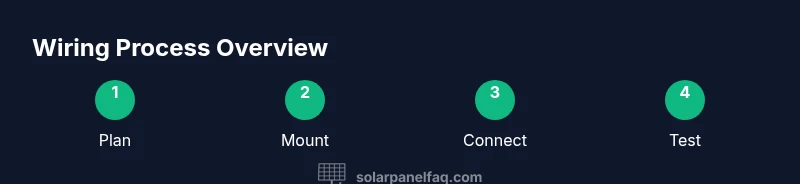
- 1
Verify system compatibility
Confirm that the panel Voc and current fit within the charge controller’s input range and that the battery bank voltage matches the controller’s charging profile. Check datasheets and manufacturer recommendations to avoid overvoltage or improper charging.
Tip: If in doubt, start with a smaller array and a lower battery voltage to test the setup safely. - 2
Plan cable routes and safety measures
Map out a route from the panels to the controller and from the controller to the battery. Include a dedicated disconnect and keep all wiring away from high-heat areas or moving parts. Use weatherproof enclosures where exposed.
Tip: Shorter runs reduce voltage drop; keep conductors tidy with cable clamps and strain relief. - 3
Mount components securely
Install panels on a stable rack or roof using appropriate mounting hardware. Position the controller in a dry, ventilated area. Securely mount the battery bank in a ventilated enclosure if possible.
Tip: Ensure the battery is upright and protected from rain or splashes if installed outdoors. - 4
Connect the charge controller to the battery
Make the battery connections first to prevent backfeeding through the controller. Use proper polarity: positive to positive, negative to negative. Tighten terminals and verify snugness.
Tip: Use a torque wrench if provided by the manufacturer to avoid over-tightening connectors. - 5
Connect the panels to the charge controller
Connect the panel array to the controller’s input according to the controller’s diagram. If using multiple panels, verify they are configured for series or parallel as appropriate for the system voltage.
Tip: Observe polarity and avoid reverse current paths with diodes if your controller requires them. - 6
Install protection and fuse links
Place fuses or a circuit breaker on the battery’s positive lead, as close to the battery as practical. Install a DC disconnect near the controller for safe maintenance.
Tip: Fuses should match the maximum short-circuit current of the system. - 7
Power up and test the system
Power the system and use a multimeter to verify voltages are within expected ranges. Check for signs of overheating, unusual smells, or loose connections. Monitor charging current and battery voltage as the first cycle completes.
Tip: Start with a small load and gradually test higher loads to ensure stability.
Frequently Asked Questions
Do I always need a charge controller between panels and battery?
Generally yes. A charge controller prevents overcharging, manages voltage, and protects the battery. Without one, direct panel-to-battery connections can cause damage and reduce battery life.
Yes. Use a charge controller to prevent overcharging and protect your battery.
Can I connect panels directly to a 12-volt battery?
Direct connections are not recommended for most systems. A controller ensures safe charging and handles voltage fluctuations. If you must, ensure the panel current is very limited and be prepared for potential battery damage.
Directly connecting is not recommended; a controller is usually necessary.
What is the difference between MPPT and PWM controllers?
MPPT controllers extract more power from panels by matching the panel voltage to the battery voltage, especially with higher voltage strings or cooler conditions. PWM controllers are simpler and cheaper but less efficient in higher-voltage setups.
MPPT is typically more efficient, especially with multiple panels or higher voltages.
How do I size wires and fuses for safety?
Wire size should accommodate the maximum current with a safety margin. Fuses or breakers must be rated to protect the wiring and components, placed close to the battery.
Use proper wire gauges for the expected current and place fuses near the battery.
Is lithium better than lead-acid for solar storage?
Lithium batteries offer higher energy density, longer cycle life, and lighter weight, but come at a higher upfront cost. Lead-acid types are cheaper upfront but require more maintenance and have shorter lifespans.
Lithium lasts longer and weighs less but costs more upfront; lead-acid is cheaper but shorter-lived.
How can I troubleshoot a non-charging system?
Check connections for corrosion or looseness, measure panel open-circuit voltage, verify controller settings, and inspect fuses. If voltages are out of spec, recheck polarity and wiring diagrams.
Check connections, voltages, and controller settings, and inspect fuses if charging seems off.
Watch Video
Top Takeaways
- Plan for compatibility across panel, controller, and battery
- Prioritize safety with fuses, disconnects, and protective gear
- Use MPPT for higher efficiency in real-world conditions
- Test systematically and monitor battery health over time