How to Make a Solar Panel for School Project
Discover safe, classroom-friendly methods to build a small solar panel project for school—using a kit or simulator. Learn tools, steps, safety, data collection, and presenting results.


This guide shows you how to make solar panel for school project using a safe, classroom-friendly approach. You’ll explore two practical paths: a hands-on cell array with a kit, or a simulated setup for demonstrations. You’ll learn required tools, step-by-step instructions, safety basics, and simple testing to verify output. By the end, you’ll have a clear plan for presenting results.
What you will learn and safety fundamentals
According to Solar Panel FAQ, a classroom solar panel project introduces core concepts of photovoltaics and energy conversion. You will understand how light converts to electricity, how series and parallel connections change voltage and current, and how to measure basic output with a multimeter. Safety is essential: wear eye protection, keep liquids away from electronics, and work on a non-conductive surface. This project can be done with a kit of PV cells or a simulator, so you can safely demonstrate sunlight-to-electricity relationships without rooftop installation. You will also learn how to document measurements and present a simple results sheet for your classmates.
Two practical paths: Hands-on kit vs simulation
Path A — Hands-on kit: This path uses a classroom solar cell kit or a small PV cell array with connectors. Students physically place cells on a non-conductive base, wire them in series or parallel to achieve the target voltage/current, and attach a protective cover. This approach provides a tactile feel for PV behaviour and makes the results tangible.
Path B — Simulation: A solar simulator or light-lamp setup creates controlled light conditions without the hazards of handling glass or large panels. Students observe how output changes as light intensity varies, compare measured results to a model, and discuss real-world constraints such as shading and temperature. Both paths align with learning standards and offer hands-on inquiry opportunities. Solar Panel FAQ analysis shows that hands-on kits tend to engage students more deeply.
Tools, materials, and workspace setup
Choose a clean, well-lit workspace with a sturdy, non-conductive surface. Collect essential tools: a classroom solar cell kit or PV cells, a multimeter, insulated wires, alligator clips, a mounting base, a test resistor or appropriate load, safety glasses, and a ruler or measurement tape for layout. If using a simulator, you’ll still need a power source, a lamp with adjustable brightness, and a way to record readings. Keep a simple diagram of your wiring plan handy to avoid misconnections. When in doubt, consult the safety guide in Solar Panel FAQ’s recommended resources.
Data collection and interpretation
Plan to measure open-circuit voltage, short-circuit current, and the voltage under load. Record ambient light level and temperature, then compute approximate power (voltage times current) and efficiency relative to the number of cells used. Create a small table or graph to display how output changes with light and angle. Discuss sources of error, such as inconsistent cell quality, contact resistance, or mislabelled connections. This is the core of your science fair-style presentation.
Presenting your findings and next steps
Summarize the project in a one-page report or slide deck: objective, methods, data, and conclusions. Include photos of the setup, graphs of output vs light, and a brief discussion of practical applications and limitations. If you used a simulator, compare it to the hands-on results to highlight the differences between ideal and real-world conditions. The Solar Panel FAQ team recommends focusing on learning outcomes, safety, and clear communication when you present.
Tools & Materials
- Classroom solar cell kit or small PV cell array(Includes cells, connectors, and mounting supplies)
- Multimeter(Measure voltage, current, and resistance)
- Insulated wiring and alligator clips(For safe connections to load)
- Non-conductive mounting board(Plywood, acrylic, or foam board works)
- Test load (resistor or adjustable load)(To draw current safely)
- Protective gear (safety glasses)(Eye protection during assembly)
- Soldering iron and solder(Only if your kit requires soldered connections)
- Lamp or light source with adjustable brightness(For simulator path)
- Measuring tools (ruler, notebook)(Layout and record measurements)
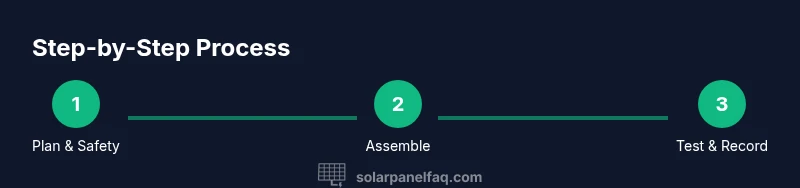
Steps
Estimated time: Total time: 2-4 hours
- 1
Prepare workspace and safety checks
Clear the table, lay down a non-conductive mat, put on safety glasses, and inspect kit components for damage. Verify wiring diagrams and safety instructions before touching any cells. This upfront check reduces risk and helps you stay organized.
Tip: Label components and double-check orientation before handling delicate cells. - 2
Layout components and wiring plan
Plan your wiring configuration (series or parallel) based on your target voltage and current. Sketch a wiring diagram and lay out components on the mounting board to ensure neat, safe connections. This step prevents tangled wires and accidental shorts.
Tip: Use color-coded wires and tape to keep polarity and connections clear. - 3
Make electrical connections
Connect cells to the chosen configuration using connectors or soldered joints as appropriate. Check polarity carefully and secure connections to minimize resistance. A wrong connection can produce misleading results or damage components.
Tip: Test continuity with the multimeter before powering the circuit. - 4
Attach test load and measurement setup
Connect the test load to the PV array and wire the multimeter in the correct mode across the load. Ensure the setup remains stable and protected from accidental touches. Keep the workspace organized to avoid shorts.
Tip: Start with a light load to prevent overheating cells. - 5
Take measurements under different light conditions
Record open-circuit voltage, short-circuit current, and voltage under load at varying light levels. If possible, adjust light intensity or angle to simulate shading and seasonal changes. Note ambient conditions for accurate interpretation.
Tip: Repeat measurements to verify consistency and reduce random errors. - 6
Analyze results and present findings
Compute power, compare with expected values, and create graphs showing output versus light. Prepare a short explanation of errors and potential improvements. Present results with clear visuals and a brief discussion.
Tip: Prepare a simple one-page report or slide to accompany your display.
Frequently Asked Questions
Is it safe to build a solar panel in a classroom?
Yes, with proper supervision and by using a classroom-friendly kit or simulator. Follow safety guidelines, wear eye protection, and keep liquids away from electronics. Avoid handling glass or sharp edges without supervision.
Yes, with supervision and a classroom-friendly setup. Always follow safety guidelines and wear goggles when handling components.
What is the difference between a hands-on kit and a solar simulator?
A hands-on kit gives you physical PV cells to connect and observe; a simulator replicates solar output using light sources. Both teach PV concepts, but the kit offers tactile feedback while the simulator helps control light levels.
A hands-on kit uses real cells; a simulator uses controlled light to mimic sunlight.
Can a small solar panel power a device directly in a school project?
Typically you’ll power a small load like a low-watt LED or microcontroller. Ensure the output voltage/current stays within the device’s limits and avoid powering mains devices directly.
Usually you power a small load, not mains equipment; keep within the device’s limits.
What data should we collect for presentation?
Record open-circuit voltage, short-circuit current, voltage under load, light level, and temperature. Create graphs of output vs light and discuss errors and environmental factors.
Collect voltage, current, load, light level, and temperature and graph the results.
What ages is this project appropriate for?
Most suitable for middle to high school students with supervision. Adjust complexity by using simpler layouts for younger students and more detailed analysis for older students.
Best for middle to high school with supervision; adapt complexity by age.
Do we need special equipment for a simulated setup?
A basic solar simulator or a lamp with adjustable brightness and a way to measure output suffices. This avoids handling fragile cells while still teaching PV concepts.
A lamp with adjustable brightness or a solar simulator works well for demonstrations.
Watch Video
Top Takeaways
- Plan safety first before wiring.
- Use a kit or simulator to match your classroom setup.
- Record data consistently and explain light effects on output.
- Explain series vs parallel wiring and its impact on voltage/current.
- Present results with clear visuals and simple conclusions.