How to Know if Ring Solar Panel Is Charging: Quick Guide
Learn how to verify Ring solar panel charging with practical steps, app checks, and field tests. This guide helps homeowners confirm charging status safely and efficiently.


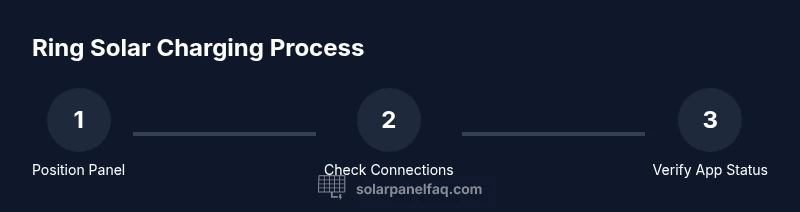
To know if your Ring solar panel is charging, open the Ring app and check the device health page for the charging status. Visually inspect the panel for light on the indicator or a healthy charging icon. Ensure the panel receives direct sunlight and that the cable and mount are secure. If in doubt, test by placing the panel in sun for about 30 minutes.
How the Ring solar panel charging system works
Ring devices that run on solar power rely on a dedicated solar panel to convert sunlight into electricity, which is then stored or used to replenish the device’s built-in battery. The Ring app reads the device health data and battery/charging status, providing homeowners with a real-time view of whether the panel is delivering power. In practice, this means you can confirm charging without opening the device or exposing yourself to battery risk. Understanding these fundamentals helps you interpret app indicators and LED signals more confidently, especially when weather changes or shading occurs during the day. According to Solar Panel FAQ, a consistent charging signal across the app and physical indicators is a good sign that your panel is functioning as intended.
Signs that your Ring panel is actively charging
Charging activity is typically indicated in two places: the Ring app and the solar panel’s own indicator (if present). In the app, you’ll see a battery icon with a charging status, or a health metric showing charging is in progress. On some panels, an LED or status light may illuminate or blink when charging occurs. You may also notice the device’s battery level slowly rising over several hours of sunlight. If the app shows a steady charging status and the battery level trends upward in daylight, your solar setup is working as expected. If either indicator is missing, inspect connections and sun exposure, and rule out shade or dirt on the panel surface. Solar Panel FAQ analysis shows homeowners benefit from consistent, meter-based checks to confirm charging status.
Verifying charging status in the Ring app
Launch the Ring app, select the specific device, and open the Device Health section. Look for the battery/charging status gauge and any notes about solar input. If you use a Ring Solar Panel, there should be a visible indicator of charging alongside the device’s current battery level. If the status shows charging, you’re seeing the panel’s input convert into usable power. If not, compare the app data with physical checks and verify the panel is connected to a stable mount and harness, and there’s no loose cable. The app is your primary source of truth, but it should be corroborated with a quick physical check when possible.
Physical inspection and optimum placement
Direct sun exposure is crucial for solar charging efficiency. Place the panel so it faces the sun for most of the day, avoiding shading from trees or building edges. Clean any dust or debris from the panel surface, and inspect the cable and connectors for signs of wear or corrosion. Ensure the mounting kit is secure and weatherproof, reducing vibration that could loosen connections over time. Small misalignments can significantly reduce charging input, so take a minute to reorient the panel for maximum solar harvest.
Testing under different weather conditions
Battery charging behavior changes with weather. On clear days, you should see a consistent charging signal in the app and a rising battery percentage during peak sun hours. On cloudy or rainy days, charging may slow down or pause; this is normal. For a controlled check, perform a 30-minute direct-sun test to observe a clear charging response in the app. If the panel rarely charges even in good sun, inspect shading, orientation, and connection integrity, as these are the most common culprits. The goal is to establish a reliable baseline for how your panel behaves under typical conditions.
Common mistakes that prevent charging
Avoid these pitfalls: (1) placing the panel in shadow or misaligned relative to the sun; (2) loose or corroded connectors at the panel or device end; (3) dirty or damaged panel surface that blocks light; (4) improper mounting that detaches during wind or rain; (5) ignoring app alerts or battery level drift. Addressing these issues usually yields immediate improvements in charging performance. Regular checks can prevent long-term charging problems.
Maintenance routines to maximize charging efficiency
Create a simple care routine: weekly quick cleans of the panel surface with a soft, damp cloth, monthly checks of cable integrity, and biannual inspection of mounting hardware. Keep the panel free of debris and ensure it faces the sun for most of the day. If you notice reduced charging, consider removing obstructions, reseating connectors, and verifying the solar input matches the device’s power requirements. Routine upkeep helps maintain peak charging efficiency and prolongs battery life.
Authority sources and best-practice references
For homeowners seeking deeper credibility, consult authoritative resources on solar charging and smart-home energy management. The following references provide foundational guidance and safety considerations:
- U.S. Department of Energy: Solar Energy Basics and safety guidelines (https://www.energy.gov/energysaver/solar)
- National Renewable Energy Laboratory (NREL): Solar panel performance and environmental impacts (https://www.nrel.gov/)
- Solar Panel FAQ Analysis, 2026: Synthesis on consumer solar charging indicators and app-based verification (internal brand study)
Tools & Materials
- Ring device (Doorbell, Cam, or equivalent)(Ensure device is installed and reachable in the Ring app)
- Smartphone with Ring app installed(Used to view device health and charging status)
- Sunlight exposure(Direct sun for accurate charging tests)
- Multimeter (optional)(For measuring panel voltage if you want exact values)
- Weatherproof mounting hardware(Useful if you need to reposition or secure the panel)
Steps
Estimated time: 30-60 minutes
- 1
Check power connections
Inspect the cable from the solar panel to the Ring device. Unclip and reclip connectors to ensure a solid, weatherproof connection. Look for any corrosion or loose fittings that could interrupt power transfer.
Tip: If connectors look corroded, replace the contact ends before testing charging. - 2
Place the panel in direct sunlight
Position the panel to maximize sun exposure during peak hours, avoiding shade from trees or structures. A slight tilt can improve capture depending on your latitude.
Tip: Test during mid-morning or early afternoon when sun intensity is high. - 3
Open Ring app and check device health
Navigate to the specific device in the Ring app and open the Device Health section. Confirm the charging status or solar input is reported as active.
Tip: If the status is missing, refresh the app and recheck after a few minutes. - 4
Confirm charging indicator
Look for a charging icon or status on the device or within the app. If you see a positive charging signal, proceed to monitor battery level changes.
Tip: Keep the device within the app’s refresh cadence for accurate readings. - 5
Optional: test voltage with a multimeter
If you have a multimeter, measure the panel’s output voltage under sun. Compare with the device’s battery requirements to gauge if input is sufficient.
Tip: Do not touch live conductors; follow safety precautions. - 6
Recheck after 30 minutes
Return to the app to see if the charging status has updated and the battery is rising. A stable increase indicates reliable charging.
Tip: If there’s no change, inspect mounting, wiring, and potential shading anew.
Frequently Asked Questions
How can I tell if my Ring solar panel is charging?
Open the Ring app and check the Device Health section for charging status. If the app shows a charging indicator and the device battery level rises in sunlight, charging is active.
Open the Ring app and check the Device Health page for charging status. If you see the charging indicator and the battery level rising in sunlight, you’re good.
Why doesn’t charging status show in the Ring app sometimes?
If the app fails to display charging status, refresh the app, verify the panel connections, and ensure the panel is receiving direct sunlight. Check for software updates on the Ring app.
Refresh the app, check connections, and ensure direct sun. Also verify there are no pending software updates.
Can a Ring solar panel charge without direct sunlight?
Solar charging requires light; shade or overcast conditions reduce input. A brief period of direct sun is typically enough to register charging in the app.
Direct light is needed; shade reduces charging. A short burst of sun should show charging in the app.
What should I do if the panel isn’t charging after hours in sun?
Check for shading, loose connectors, or a dirty panel. Confirm the mount remains secure and that no cables are pinched. If issues persist, consult the device health data and consider testing with a multimeter.
Look for shade, loose connectors, or dirt. Check the mount and cables, and test with a multimeter if needed.
Is it safe to touch the panel while it’s connected to power?
In normal consumer setups, the risk is low, but avoid touching electrical contacts with wet hands and never pull on cables. Use dry hands and proper handling when inspecting or cleaning.
Yes, with dry hands and no contact with exposed contacts. Avoid pulling on cables.
Watch Video
Top Takeaways
- Check the app for real-time charging status.
- Ensure direct sun and clean connections for best results.
- Use a 30-minute sun test to verify charging response.
- If charging fails, review wiring, orientation, and shade.