How to Use Ring Solar Panel: A Homeowner's Guide to Setup
Learn how to use Ring solar panel to keep your Ring doorbell charged with sunlight. This practical, step-by-step guide covers placement, wiring, maintenance, and safety for homeowners exploring solar-powered doorbell charging.


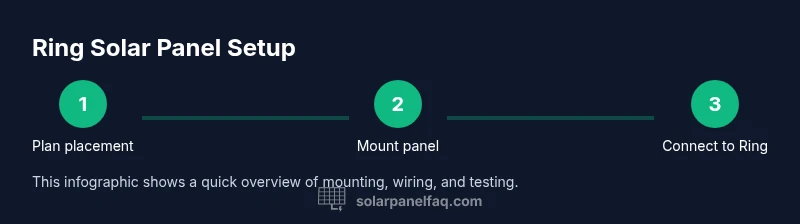
This guide helps you use Ring solar panel to keep your Ring doorbell charged with sunlight. Mount the panel in direct sun, connect it to the doorbell’s power port, and monitor charging in the Ring app. By optimizing placement and cable routing, you’ll reduce battery changes and improve uptime without sacrificing device safety.
What is a Ring Solar Panel and how it works
Ring's solar panel is a compact, weather-resistant accessory designed to help keep your Ring doorbell charged by harvesting sunlight. When mounted correctly, it provides a steady trickle of power to the doorbell's internal battery, reducing the frequency of battery replacements or recharges. If you're looking for the core concept behind this accessory, how to use ring solar panel boils down to two ideas: sun exposure and proper connection to the power port. The panel contains photovoltaic cells and a built-in regulator that manages charging current, protecting the device from overcharging. It is designed for outdoor mounting on a wall or eave, with a weatherproof connector that plugs into the Ring device's power input. For best results, aim for direct sun for most of the day and avoid shading from trees, awnings, or nearby vents. In typical sunny conditions, most households will see a noticeable improvement in standby time and uptime during the day.
Compatibility and placement considerations
Not every Ring model supports solar input, and the panel’s effectiveness depends on the device you own, your roof line, and where you place it. Check that your Ring doorbell model has a dedicated solar charging port and that the panel's connector matches the port type. Place the panel on a south- or west-facing surface (depending on your hemisphere) where it will receive uninterrupted sunlight for the majority of the day. Avoid shading from trees, eaves, or neighboring structures. Keep the panel clear of snow and debris, and ensure it is mounted securely with weatherproof fasteners. If you have a metal or reflective surface nearby, angle the panel slightly away from glare to prevent micro shadows. Finally, verify that the cable can reach the device without being stretched or pinched, and use protective conduits if needed to protect from weather.
Preparing for installation: safety and prerequisites
Before you start, make sure you understand your local weather patterns and the warranty requirements of your Ring device. Gather the tools and materials you will need, and confirm you have a clean, dry mounting surface. Always prioritize safety: use a stable ladder or scaffolding when mounting, wear eye protection, and avoid mounting during wet conditions. Power considerations: the solar panel charges the device’s internal battery; it does not require you to disconnect mains power. If you’re replacing an existing battery, complete that step first and discharge to a safe level as recommended by the manufacturer.
Mounting the panel: mounting options and orientation
Select a mounting location that is sturdy and allows for some tilt or rotation to catch sunlight throughout the day. Use the included mounting bracket to attach the panel to an exterior wall, deck railing, or another solid surface. Ensure the panel is angled to optimize sun exposure for your latitude—typically between 30 and 60 degrees off horizontal depending on location. Tighten screws firmly but avoid overtightening which could crack the wall. Seal all screw holes with weatherproof sealant to prevent water intrusion. After mounting, make sure the cable is routed neatly along edges and secured with clips to prevent movement in wind.
Wiring to the Ring doorbell and configuring it
Connect the solar panel’s weatherproof connector to the Ring doorbell’s power input port. Route the cable away from moving parts and doors, and protect it with a conduit or grommet where it passes through walls. Power-on: once connected, the doorbell should begin to draw power from the panel as daylight allows; some devices may show charging status in the app. If your doorbell is older or has a battery near full capacity, charging may appear slow on overcast days. In general, you should monitor the battery level via the Ring app to confirm charging progress and ensure there are no fault messages.
Charging behavior and maintenance
Solar charging is seasonal. In peak sun, you can expect faster battery replenishment, while long stretches of cloud cover will slow charging. To maximize efficiency, keep the panel clean and angled toward direct sun. Clean with a soft cloth and mild soap on a dry day; don’t use harsh chemicals. Inspect the cable and connectors for wear every few months and replace any damaged parts. Keep the panel free of snow and ensure mounting hardware remains tight after severe weather. If you notice a consistent drop in performance, consider re-checking the mounting angle and eliminating any shading from new growth or structures.
Troubleshooting and safety reminders
Common issues include insufficient sun exposure due to shade, loose connections, or damaged cables. Start by confirming the panel is receiving sun and that the cable is securely plugged into the Ring device. Inspect the weatherproof seal where the connector enters the device to ensure no water infiltration. For safety, always use a sturdy ladder, wear protective gear, and avoid installation in wet conditions. If problems persist, consult Ring’s official support or the Solar Panel FAQ guide for diagnostic steps and warranty guidance.
Tools & Materials
- Ring solar panel(Ensure model compatibility with your Ring device)
- Weatherproof mounting bracket and screws(For outdoor installation)
- Electric drill with screwdriver bits(Mounting hardware)
- Bubble level(Ensure panel is level)
- Weatherproof conduit or cable protection(Protect charging cable)
- Safety gear (gloves, eye protection)(Personal safety)
- Ladder or stable stand(Reach mounting surface safely)
- Smartphone with Ring app(Verify charging status and settings)
Steps
Estimated time: 25-40 minutes
- 1
Plan placement
Identify a sunlit location with minimal shade for the majority of the day. Check that the doorbell can reach the solar panel’s connection area without excessive cable strain. Confirm the mounting surface is solid and weatherproof-friendly.
Tip: Use a sun-path visual tool to estimate peak exposure for your location. - 2
Mount the bracket
Attach the mounting bracket to the chosen exterior surface using weatherproof screws. Use a bubble level to ensure the bracket is straight before tightening. Verify there’s enough clearance for the cable to pass through without rubbing against the wall.
Tip: Pre-drill holes to reduce wall stress and improve seal integrity. - 3
Attach the solar panel
Secure the solar panel to the bracket, adjusting tilt to maximize sun capture for your latitude. Avoid overtightening screws which could crack mounting surfaces. Double-check the panel remains rigid and level after installation.
Tip: Aim for a tilt that maintains sun exposure through the longest part of the day. - 4
Route and protect cable
Route the power cable away from doors, walkways, and sharp edges. Use conduit or clips to protect and secure the cable, preventing wind movement or accidental tugs.
Tip: Keep cable slack minimal but not taut to accommodate thermal expansion. - 5
Connect to Ring doorbell
Plug the weatherproof connector into the Ring doorbell’s power input port. Ensure the connection is snug and that the seal around the port remains intact.
Tip: Listen for a click and verify the port is fully seated. - 6
Test charging and verify status
In daylight, check the Ring app to confirm charging activity and battery levels. Test live view in bright sun and note charging changes when shade passes over the panel.
Tip: Test at different times of day to confirm consistent charging patterns.
Frequently Asked Questions
Is the Ring solar panel compatible with all Ring doorbells?
Most current Ring doorbells support solar input, but compatibility depends on the model and the existence of a solar port. Check your device's documentation or app settings to confirm.
Most Ring doorbells that support solar charging will work; verify your model in the app or manual.
How do I know if the solar panel is charging?
Open the Ring app and check the device battery status or charging indicator. In direct sun, you should see a steady charging trend.
Open the Ring app to see charging status and battery level.
Can I install the solar panel indoors?
No. Solar panels require direct sunlight and must be mounted outdoors to be effective.
Indoors won't provide charging because there’s no sun.
What maintenance does it require?
Regularly clean the panel, inspect cables, and ensure mounting remains secure. Check for shading changes from growing vegetation or new structures.
Keep it clean and check wiring and mounting every few months.
What should I do during extended cloud cover?
Expect slower charging during cloudy periods. Monitor battery levels and plan for occasional recharge via other power sources if needed.
Cloudy days slow charging; keep an eye on battery levels.
Will using a solar panel affect my warranty?
Generally, using an official Ring solar panel as intended should not void warranty, but always check current policy and install guidelines from the manufacturer.
Warranties vary; check Ring's policy for solar accessories.
Watch Video
Top Takeaways
- Position the panel for maximum sun exposure
- Verify compatibility and secure wiring
- Mount securely and protect cables from weather
- Monitor charging status in the Ring app regularly
- Follow safety procedures during installation and maintenance