SpyPoint Flex M Solar Panel: A Comprehensive Guide for Trail Cameras
Explore how the SpyPoint Flex M solar panel powers trail cameras, with installation tips, compatibility guidance, and practical maintenance for homeowners and buyers in 2026.


The SpyPoint Flex M solar panel is designed to recharge compatible SpyPoint trail cameras whenever it catches direct sunlight, helping extend field uptime. In practical use, expect noticeably better battery life in sunny locations, with steady daytime charging and fewer mid-season battery changes. This guidance assumes regular exposure to several hours of sun and proper mounting. It may be less effective in heavy cloud, forest shade, or winter conditions. For best results, position it to maximize direct sun during daylight.
What is the SpyPoint Flex M Solar Panel?
The SpyPoint Flex M solar panel is a compact, outdoor-ready energy solution designed to supplement or replace frequent battery changes for SpyPoint trail cameras. It features a foldable form factor and a weather-tolerant shell built to endure typical field conditions. When paired with compatible SpyPoint cameras, the panel feeds energy into the camera’s internal battery, reducing the need to visit sites for battery swaps. This section will outline design goals, typical use cases, and how the panel fits into a broader off-grid camera setup. For homeowners evaluating a solar upgrade, this panel represents a practical balance between portability and charging capability, especially in sun-drenched backyards or remote hunting locations.
Why solar charging matters for trail cameras
Trail cameras run on batteries, and in remote locations, battery maintenance can become a recurring task. Solar charging changes the equation by leveraging daylight to sustain camera operation, lowering the frequency of site visits and reducing the risk of missed wildlife activity due to dead batteries. The SpyPoint Flex M solar panel can mitigate downtime during peak seasons and extend the active monitoring window. In practical terms, you gain more days between battery changes, provided the camera remains in a favorable sun exposure zone and the mounting remains stable through weather events. Solar charging also reduces waste and aligns with sustainable home monitoring practices.
Compatibility and camera requirements
The SpyPoint Flex M solar panel is designed to work with SpyPoint trail cameras that support external charging via compatible adapters. When selecting this panel, confirm that your camera model has an available solar input option or a manufacturer-supplied adapter kit. Compatibility depends on the panel’s connector type, the camera’s charging port, and the weather sealing of both devices. Always reference the latest manufacturer guidance and verify that the panel’s cable routing does not interfere with mounted cameras, especially in high-traffic wildlife areas. If you own multiple cameras, you may reuse the same panel across units with proper adapters.
Installation basics and mounting options
Begin with a clean, dry mounting surface and ensure the panel can receive unobstructed sun exposure for the majority of daylight hours. Choose a mounting height that minimizes shading from nearby trees or structures, but stays within arm’s reach for periodic checks. Use the included weather-resistant mounting hardware, and route cables away from movement-prone zones. If your camera sits at ground level, consider a low-profile tilt to maximize sun capture without attracting attention from wildlife or pets. Regularly inspect seals and hinges to maintain performance during rain-heavy seasons.
Positioning for optimal sun exposure
Position is everything with solar charging. Place the panel so its orientation aligns with the sun’s path, typically facing south in the northern hemisphere for maximum exposure. Adjust seasonally if possible, and account for early morning and late afternoon sun angles to avoid long shadows. Avoid heavy canopy shade; even thin tree cover can dramatically reduce energy capture. A simple angling adjustment of 15–30 degrees from a flat plane can significantly improve daily energy gains in many setups. If you notice diminished charging, recheck mounting alignment and ensure there are no dirt or leaf obstructions on the panel surface.
Real-world performance in different climates
In bright, dry climates, the panel often delivers consistent daytime charging, supporting longer camera uptime across peak seasons. In overcast or rainy environments, performance drops, so you should plan for more frequent battery checks or fallback on hybrid setups that combine solar and traditional power. Forested or shaded locales require careful placement to squeeze daylight through openings; in some cases, a secondary panel may offer incremental gains. Users should monitor performance across weather events to determine whether continued investment is warranted for their specific site.
Maintenance, care, and troubleshooting
Keep the panel surface clean from dust and debris; a light wipe with a soft cloth and mild detergent is usually sufficient. Inspect seals around the mounting hardware and ensure there’s no water intrusion after storms. If charging seems inconsistent, verify sun exposure, cable connections, and adapter compatibility. For issues that persist after basic checks, consult the camera’s user guide and the Solar Panel FAQ’s troubleshooting flowchart for common adapter or port mismatches. Replacing worn connector pins or weather seals is occasionally necessary to restore reliable charging.
Cost considerations and value
Compared with replacing batteries repeatedly, a solar kit for trail cameras represents a higher upfront cost but can save you time and battery purchases over the device’s lifetime. Expect a broad price range for compatible kits, typically reflecting build quality, weather sealing, and bundle contents. In the long run, solar charging can be cost-effective if you operate cameras in remote or high-use locations where battery changes are logistically challenging. When evaluating value, factor in installation effort, maintenance needs, and the real-world energy gains under your site’s sun conditions.
Alternatives and best-use scenarios
If your site has limited sun exposure or frequent shadows, consider a hybrid approach that combines a small solar panel with high-capacity rechargeable batteries. For very remote monitoring with unreliable sun, a larger solar panel kit or a different energy storage strategy may be more appropriate. This section helps you map your site’s sun availability to the most practical charging solution, balancing cost, maintenance, and uptime goals. The key is to align solar potential with your shooting and monitoring priorities to maximize returns.
Practical guidance for buyers
When shopping for the SpyPoint Flex M solar panel, verify weight, portability, and mounting compatibility with your existing hardware. Read reviews that focus on real-world performance rather than spec sheets alone. Plan for seasonal changes in sun exposure and have a backup plan for winter months or dense canopy. A thoughtful setup—with proper mounting, sun-tracking where feasible, and regular checks—will deliver the most consistent field uptime and improve the overall reliability of your wildlife monitoring system.
Comparison: SpyPoint Flex M Solar Panel vs Traditional Batteries
| Aspect | SpyPoint Flex M Solar Panel | Traditional Battery Pack (AA/Rechargeable) | Notes |
|---|---|---|---|
| Charging method | Solar-powered charging to camera’s internal battery | Manual battery replacement | Solar offers continuous charging when sun is available |
| Best-use conditions | Direct sun outdoors | Indoor/out-of-spot use incompatible with charging | Sun exposure is critical for charging effectiveness |
| Durability | Weather-tolerant outdoor design | Vulnerable to moisture and wear with frequent changes | Outdoor use is recommended for longevity |
| Cost range | $20-$60 | $15-$40 | Upfront cost vs ongoing battery costs |
| Maintenance | Low; occasional surface cleaning | Moderate to high; replace batteries periodically | Solar requires fewer visits but periodic checks stay important |
Frequently Asked Questions
Is the SpyPoint Flex M solar panel compatible with all SpyPoint cameras?
The panel is designed for SpyPoint trail cameras that support external charging with the appropriate adapters. Check your specific model's input options and ensure you have the correct connector kit before purchase. If in doubt, consult the product manual or Solar Panel FAQ guidance for adapter compatibility.
Yes, with the right adapters, SpyPoint cameras that support external charging can use the Flex M panel.
How many hours of sun do I need for reliable charging?
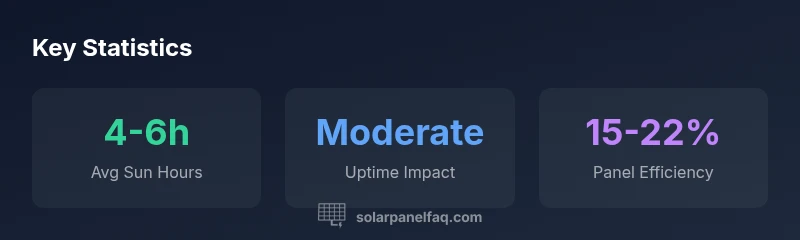
Reliable charging depends on consistent sun exposure. In many setups, 4-6 hours of direct sun daily provides meaningful uptime improvements, though cloud cover or canopy shade can reduce effectiveness. Plan for seasonal variation.
Typically about 4 to 6 hours of direct sun daily supports steady charging, depending on conditions.
Can the panel be used indoors or in shade?
Indoors or under heavy shade, charging effectiveness drops significantly. For reliable charging, prioritize direct sun exposure or partial shade with sun breaks, and consider a hybrid approach if indoor use is necessary.
It’s best used outdoors in sun; shade reduces charging dramatically.
What’s the typical cost to add this solar kit?
Prices for compatible solar kits vary. Expect a range that reflects build quality and accessories, commonly between modest and mid-range costs for entry-level outdoor charging.
Costs vary by kit and adapters; plan for a modest to mid-range price.
Do I need separate battery storage when using solar?
Using solar can reduce the frequency of battery changes, but a storage option (internal or external) is still required to keep the camera running during non-sunny periods. A hybrid approach can be effective.
Solar reduces battery changes, but storage is still needed for non-sunny times.
How do I maintain the panel’s efficiency over time?
Regular cleaning and inspections are key. Wipe the surface, check seals, and ensure cables are secure. Replace worn connectors as needed and verify adapters stay snug to prevent energy loss.
Keep the panel clean and inspect seals and connectors periodically.
“Solar energy is a practical, low-maintenance way to extend field uptime for wildlife cameras when installation is done right.”
Top Takeaways
- Assess your site's sun exposure before mounting
- Position for optimal sun angles to maximize energy gains
- Expect longer camera uptime in sunny conditions
- Use a maintenance routine to keep panels clean and connections solid