How to Use a Moultrie Solar Panel
Step-by-step guide to using a Moultrie solar panel with trail cameras and other devices. Learn compatibility, mounting, wiring, maintenance, and troubleshooting for reliable solar power at home.


This guide explains how to use moultrie solar panel with a trail camera, covering compatibility, mounting, wiring, and maintenance. You’ll learn the essential steps to power your camera reliably, avoid voltage issues, and optimize sun exposure for the best performance. By following these steps, homeowners can extend camera life and reduce battery replacements.
What a Moultrie solar panel does and why it's useful
A Moultrie solar panel is designed to convert sunlight into a steady charging current that keeps compatible trail cameras powered longer between battery changes. For homeowners, the benefit is fewer trips to the field for battery swaps and less risk of interrupted monitoring during peak wildlife activity. A solar solution also helps extend the life of your camera by maintaining a healthier battery voltage and reducing deep discharge cycles. As Solar Panel FAQ notes, proper setup and regular maintenance improve reliability, so start with a clean, well-mounted panel and monitor the system after the first week of use.
In practice, you’ll choose a panel size that matches your camera model, the typical sun exposure in your area, and the mounting surface. Most Moultrie kits balance portability with enough wattage to sustain standard trail cameras. The goal is a consistent charge curve that keeps the camera ready to capture activity without frequent battery changes. When done correctly, the system operates in the background, letting you focus on field observations.
If you’re evaluating different panels, compare open-circuit voltage, short-circuit current, and compatibility with your camera’s battery type. Avoid oversized panels that create mounting challenges or panels that are too small to meet your camera’s daily power draw. Remember: a reliable solar setup isn’t about the largest panel, but the right panel for your location and usage patterns.
note_ida_null”:null,
Tools & Materials
- Moultrie solar panel (official kit or compatible model)(Ensure the panel is rated for outdoor use and comes with weatherproof connectors.)
- Charge controller/regulator(Needed to prevent overcharging and extend battery life.)
- Mounting brackets or hardware(Sturdy brackets, screws, and weatherproof seals for secure installation.)
- Weatherproof extension cable (optional)(Use if the camera is far from the panel or mounting surface.)
- Waterproof connectors and glands(Seal all connections to prevent moisture ingress.)
- Multimeter or voltmeter(Check battery voltage before and after charging.)
- Soft cloth or brush(Keep panel surface clean of dust and debris.)
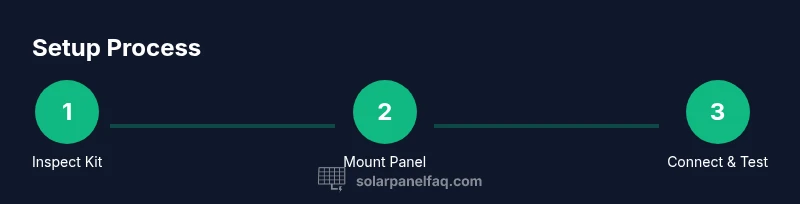
Steps
Estimated time: 1-2 hours for initial setup, plus ongoing checks every 1-3 months.
- 1
Inspect and prep the kit
Unbox the solar panel kit and inspect all components for damage or wear. Verify that the cable lengths match your mounting plan and check connectors for corrosion. This step prevents mid-install surprises and keeps your camera protected.
Tip: Have a flashlight handy to inspect small connector pins and ensure the weatherproof seals are intact. - 2
Choose a sunny mounting location
Identify a roof, shed, or tripod mount that receives direct sun for most of the day and has minimal shading from trees or structures. A south-facing orientation (in the northern hemisphere) typically yields the best year-round output. Consider local weather patterns and seasonal sun angles.
Tip: Aim for a tilt angle close to your latitude to maximize energy capture. - 3
Mount the panel securely
Attach the panel using the supplied brackets, ensuring it is stable against wind and vibrations. Use weatherproof screws and reseal any mounting holes to prevent leaks. Leave enough slack in cables to avoid strain on connectors.
Tip: Double-check that the panel is level and that cables won’t rub on sharp edges. - 4
Connect the panel to the camera (via regulator)
Run the cable from the panel to the camera’s battery terminal, inserting a charge regulator between the panel and camera if required by your setup. Ensure polarity matches and all connections are snug and weatherproof.
Tip: Label cables at both ends to avoid cross-wiring during maintenance. - 5
Power up and test the system
Power on the camera and verify that the battery reads a healthy voltage. Use the voltmeter to confirm charging activity and watch for a rising voltage trend during sun exposure.
Tip: Record baseline voltage so you can detect issues quickly later. - 6
Protect and tidy the wiring
Secure cables along the mounting surface with clips or ties, keeping them away from doors, wildlife paths, or moving parts. Apply weatherproof sealant where needed to prevent water intrusion.
Tip: Use UV-resistant ties to prevent cable degradation over time. - 7
Monitor performance and adjust as needed
Check the system after the first week; adjust tilt angle or orientation if output is consistently low. Clean the panel surface monthly to maintain maximum efficiency.
Tip: A simple monthly check can prevent longer-term performance losses. - 8
Maintenance and preventative care
Set a routine: quarterly inspections, seasonal wind checks, and cleaning after heavy pollen or dust events. Replace aging components as needed to maintain reliability.
Tip: Keep spare connectors and seals on hand for quick field fixes.
Frequently Asked Questions
Do I need a charge controller with a Moultrie solar panel?
In most setups, a charge controller helps prevent overcharging and can extend battery life. If your Moultrie kit includes a regulator, follow its instructions. If not, adding one is generally recommended for reliability.
Yes, a charge controller is typically recommended to protect the battery and panel.
What is the best orientation for a Moultrie solar panel in winter?
In winter, aim for a higher tilt angle to capture lower sun angles. Ensure the panel still receives several hours of direct sun daily, even if mornings are cloudy.
Tilt the panel more steeply in winter to catch lower sun angles.
Can I use a generic solar panel with a Moultrie camera?
Compatibility depends on voltage and current output. Use a panel with similar voltage specs and a proper regulator to avoid harming the camera.
Compatibility depends on voltage and regulator setup.
How often should I clean the solar panel?
Clean the panel whenever you notice a drop in output or after dusty conditions. A light wipe every few weeks during peak sun season is usually enough.
Clean the panel whenever you see reduced performance.
Will the panel work during cloudy days?
Solar panels still generate some power on cloudy days, but output is reduced. Expect lower charging rates and plan for occasional battery top-ups if needed.
It still works on cloudy days, just not at full capacity.
Watch Video
Top Takeaways
- Mount panels for maximum sun exposure and secure mounting.
- Use a regulator to protect battery charge
- Regularly inspect and clean panels for consistent performance
- Choose compatibility-focused configurations rather than the largest panel
- Monitor voltage after setup to verify reliable charging