Deer Camera Solar Panel: A Practical Guide for 2026
Power a deer camera with a solar panel for reliable trail monitoring. Step-by-step setup, sun exposure tips, maintenance, and troubleshooting for 2026.


You will learn how to power a deer camera with a solar panel for reliable, year-round trail monitoring. The process includes choosing the right panel size, mounting it for optimal sun exposure, wiring safely, and performing regular maintenance checks to extend battery life and reduce downtime. This quick guide also outlines common pitfalls, cost considerations, and where to position the camera to maximize field of view while protecting equipment from weather and wildlife.
Why a deer camera solar panel Powers Your Setup
Power reliability matters when you’re tracking wildlife over weeks or months. A solar-powered deer camera minimizes downtime and reduces visits to swap batteries, which is especially valuable during migration seasons or deep forest deployments. The Solar Panel FAQ team notes that solar power stabilizes energy supply when temperatures swing and battery self-discharge rises. With a properly sized system, you can keep a camera running through overcast days and long nights without interruption. This section explains the core ideas behind solar-powered trail cameras, how to estimate energy needs, and how location and climate influence performance.
First, understand the camera’s typical energy draw. Most trail cameras use a low baseline power when asleep and spike briefly when capturing a photo or video. Features like color night vision, high-resolution video, and wireless transmission increase draw. The goal is to harvest enough sunlight to keep the internal battery topped up so the camera rarely shuts down. In practice, you’ll balance panel wattage, sun exposure, and the camera’s input requirements. In daylight, a small panel can usually meet daily needs, but longer days in summer or frequent motion events may require more headroom. The overall aim is simplicity: mount, connect, and monitor so your camera remains ready to record wildlife activity.
Key Terms You Should Know
Panel wattage: The maximum power the panel can deliver under ideal conditions. Choose a panel with enough wattage to cover your camera’s needs, plus a margin for cloudy days.
Open-circuit voltage (Voc): The voltage the panel produces with no load. Camera input must tolerate this or be regulated.
Charge controller: A device that regulates voltage and current from the panel to the battery/camera, preventing overcharging. Optional if the camera has built-in regulation.
Battery reserve and depth of discharge: How much energy you can reliably draw before the system runs dry.
Sun exposure and shading: The panel’s actual output depends on sun angle and shading; even small shade can reduce production.
Weatherproofing and IP rating: Outdoor equipment should resist moisture, dust, and temperature swings.
Sizing and Selecting Your Solar Panel
The right solar panel starts with your camera’s power draw and your local sun pattern. Solar Panel FAQ analysis shows common guidance: begin with a modest panel that meets the daily average needs, then add headroom for cloudy days and seasonal variation. Verify the panel voltage aligns with your camera input and that connectors are weatherproof. When choosing a panel, prioritize reliability over size; a sturdy, outdoor-rated panel with robust mounting options will perform better over years of field use. Consider your location’s typical cloud cover and daylight hours; a location with long winters may require a panel with higher output capacity or supplemental battery reserve. Finally, ensure your panel can be easily angled or repositioned to chase the sun as seasons change.
Mounting and Positioning for Best Sun Exposure
Mounting decisions drive long-term success. Trees, poles, and fence lines each offer pros and cons depending on your property layout. For most setups, aim to orient the panel toward the equator in your hemisphere and tilt it to optimize sun exposure during peak hours. Avoid shading from branches, nearby buildings, or fence posts that migrate with wind. Use sturdy straps or brackets that resist wind and wildlife interference. If you can, place the camera and panel in a way that cameras are not visible to curious neighbors or hikers, reducing risk of tampering. Regularly inspect mounting hardware for looseness after storms or heavy winds.
Wiring, Safety, and Weatherproofing
Outdoor wiring demands protection. Route cables away from moving parts and avoid tight bends that stress connections. Use outdoor-rated, UV-stable cabling with weatherproof connectors. Seal entry points with silicone around mounts and cable glands to prevent moisture intrusion. Keep the battery compartment and camera housing clear of moisture, and use grommets to prevent rubbing. A low-voltage setup reduces shock risk; never work with live circuits in wet conditions. If you’re not confident about electrical work, use a pre-wired kit or consult a professional to avoid damage to your camera or panel.
Site Selection and Sun Orientation
Choose a site that guarantees consistent sun exposure across seasons. Northern-facing slopes or deeply shaded areas should be avoided unless your latitude provides year-round sun. In practice, test different angles during a typical day, noting the time of peak output. A slight tilt toward the sun often yields better results than a perfectly flat mount. Consider accessibility for maintenance; a panel that’s easy to reach will encourage regular cleaning and checks. Document the final position with a simple map to recreate the setup if you move houses or re-aim the camera.
Maintenance, Seasonal Challenges, and Troubleshooting
Seasonal changes affect solar generation. In winter, you may see longer periods of low output; during summer, higher sun intensity can deliver more energy but heat can affect sensor performance. Clean the panel surface every few months to remove dust, pollen, or snow buildup. Inspect cables, mounts, and connectors for wear, corrosion, and wildlife damage. If you notice reduced performance, confirm panel orientation, check for shading, and measure whether the camera’s battery still charges. A simple log of daylight hours and charge status helps you predict when to adjust the system.
Real-World Scenarios and Quick Start Checklist
Imagine you’re deploying a deer camera along a woodland trail that receives moderate sun. Start with a small, weatherproof panel and verify the camera’s charge status after a week. If uptime remains high, you’re good; if downtime occurs, gradually increase panel size or improve mounting. Use a simple checklist to ensure you cover the basics before fieldwork: verify the panel is secure, ensure waterproof connections, confirm sun exposure, and test data retrieval. Solar power reduces routine field visits and battery replacements, making long-term monitoring practical.
Tools & Materials
- Weather-rated solar panel (5-20W recommended)(Choose a panel with durable housing and outdoor connectors)
- Mounting brackets, straps, and hardware(Rust-resistant for wood, metal, or composite surfaces)
- Outdoor-rated DC cables and connectors(UV-stable and length sufficient for distance to camera)
- Weatherproof enclosure and cable grommets(Seal all entry points to keep moisture out)
- Sealant (silicone) and weatherproof tape(Use where panels or mounts contact the surface)
- Drill, screwdriver set, and wire stripper(Appropriate bits for mounting hardware and cable termination)
- Optional battery storage (e.g., 12V battery)(Use if your camera benefits from a larger energy reserve)
- Voltage tester or multimeter(Helpful for verifying connections and voltage levels)
Steps
Estimated time: 60-90 minutes
- 1
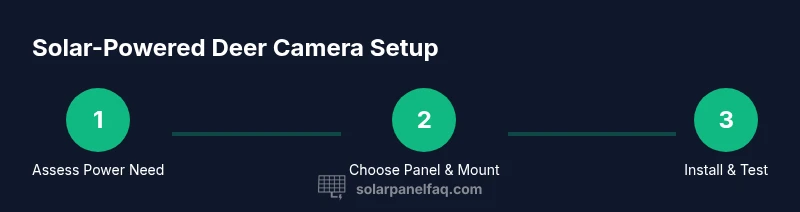
Assess power needs
Estimate the camera’s daily energy draw by reviewing its sleep and active modes, plus features like color night vision. Use the camera manual to identify typical current draw and any extra power used during transmission. This baseline helps define the panel size and any headroom needed for cloudy days.
Tip: Document expected motion events per day to gauge peak demand. - 2
Choose panel and mounting method
Select a weather-rated panel that provides enough headroom for your climate. Decide whether to mount on a tree, pole, or fence line based on sun exposure and accessibility for maintenance. Plan cable routing to stay dry and secure.
Tip: Prefer a slightly larger panel for reliability in winter or overcast periods. - 3
Mount the panel for sun exposure
Install the panel at a height and angle that maximize sun capture during peak hours. Ensure the mounting is sturdy against wind and wildlife interaction. Keep the camera in a location with minimal shading and easy access for future checks.
Tip: Use shaded-free zones to avoid energy loss from temporary shade. - 4
Connect wiring safely
Route cables away from moving parts and secure them with clips. Use weatherproof connectors and seal all entry points to prevent moisture. If using a separate battery, connect the panel to the controller or to the camera’s charging input per the manual.
Tip: Double-check polarity before finalizing connections. - 5
Test operation and adjust
Power on the system and monitor the battery charge level over 24-48 hours. Confirm the camera captures and stores images or transmits as expected. If the charge remains low, revisit panel orientation or consider additional headroom.
Tip: Take timestamped notes of battery voltage to track trends. - 6
Plan ongoing maintenance
Set a maintenance cadence to clean the panel surface, inspect mounts, and verify cable integrity at least every season. Record weather events that may affect performance and adjust positioning if needed.
Tip: Create a simple maintenance log for easy reference.
Frequently Asked Questions
Do I need a solar charger controller?
A solar charge controller isn’t always required. If the camera’s input is within the panel’s output range and the device includes internal regulation, you can proceed without one. Always check your camera manual or Solar Panel FAQ for guidance.
A controller isn’t always needed, but verify compatibility with your camera’s input.
What size solar panel do I need for a deer camera?
The size depends on the camera’s power draw and sun exposure. Start with a small, weather-rated panel and adjust if you experience downtime or slow charging. Avoid undersizing the panel to prevent frequent downtime.
Start with a small panel and increase if charging isn’t steady.
Can I use a standard solar panel outdoors for a deer camera?
Yes, as long as the panel is outdoor-rated, the voltage matches the camera input, and the setup is weatherproof. Use proper mounting and protect connectors from moisture.
Yes, with weatherproofing and proper voltage compatibility.
How should I mount the solar panel on a tree or pole?
Mount the panel in full sun with minimal shading, using secure straps or clamps. Place the camera to minimize disturbance and ensure easy access for maintenance.
Mount securely in sun, check for shade, keep access easy.
What maintenance is required for a solar-powered deer camera?
Check connections and clean the panel surface regularly. Inspect mounting and cables for wear, especially after storms. Keep a simple maintenance log.
Check connections and keep the panel clean.
Is solar power cost-effective long-term?
Solar power can reduce ongoing battery changes and site visits, depending on sun exposure and initial setup costs. Evaluate local sun patterns and maintenance needs to gauge long-term value.
It can save money over time if you have consistent sun and proper setup.
Watch Video
Top Takeaways
- Start with the smallest panel that meets energy needs and scale up if downtime occurs.
- Mount with sun exposure in mind and ensure robust weatherproofing.
- Regularly inspect connections and clean the panel surface for best performance.
- Solar power can reduce field visits and battery changes when correctly sized.