Solar Panel to Charge Phone: A Practical Home Guide
Learn how to charge a phone with a solar panel, explore direct USB options, battery-assisted setups, sizing tips, safety practices, and practical step-by-step guidance for homeowners.


You can charge a phone using a solar panel by pairing a USB-output panel with a portable power bank or a small USB charger. Essential gear includes a panel with USB output, a regulator or battery bank, and a weather-protected cable. This guide covers direct charging, battery-assisted setups, sizing tips, and safety considerations to help homeowners choose the right method.
How a solar panel to charge phone works
According to Solar Panel FAQ, charging a phone with solar power is accessible with compact, USB-enabled panels. A solar panel converts sunlight into electricity, which then travels through a regulator or directly to a USB charger. The phone draws power at its own rate, so the key is matching the panel output with the phone’s charging needs and protecting the device with a regulator or a battery bank. For homeowners, this often means choosing a small USB-output panel and pairing it with a portable power bank to smooth fluctuations in sun exposure. Solar Panel FAQ analysis shows that many households achieve reliable results using modest setups, rather than bulky, high-wattage systems. Smart placement, a clean connection, and safe components are more important than sheer panel size for everyday charging.
Direct charging versus battery-assisted charging
Direct charging involves plugging a phone directly into a USB port on a solar panel or a very small solar charger. This is simple and fast in bright sun but can falter as clouds pass overhead or the phone edges toward full capacity. Battery-assisted charging uses a USB power bank or a small, dedicated regulator between the panel and the phone. The bank stores energy during peak sun and delivers steady power when sun is weak, reducing the risk of charging interruptions. For most homeowners, a hybrid approach—direct charging in steady sun and bank-assisted charging when shade or clouds intervene—yields the best balance of convenience and reliability.
Sizing your setup for reliable charging
Phone charging typically doesn’t require a large panel, but sun conditions matter. In bright, direct sun, even a modest USB-output panel can begin charging a phone within minutes. In partial shade, a larger or higher-efficiency panel helps compensate for reduced light. When choosing components, prioritize a panel with a stable USB output and a regulator or power bank that can handle bursts of current. Also consider cable length to avoid voltage drop; shorter runs generally deliver more consistent charging power. Remember that the phone’s battery level and charging circuitry influence actual speeds under real-world conditions.
Practical setup options for homeowners
There are two practical paths: a portable, battery-backed kit or a semi-permanent outdoor installation. A portable kit pairs a USB-output panel with a compact power bank that you bring indoors at night. This is ideal for camping, emergencies, or balcony setups where weather is variable. A semi-permanent solution uses a weatherproof panel mounted in a sunny location, connected to a sealed battery or an integrated regulator, with cables routed safely away from moisture. Both approaches benefit from a durable USB cable, secure connections, and a plan to manage heat buildup in direct sun. For best results, position the panel to face the sun and tilt it toward the sun’s daily path to maximize energy capture.
Safety, maintenance, and best practices
Always verify that all components are rated for outdoor use and protected from rain or moisture. Use weatherproof enclosures for any exposed electronics and keep connections tidy to prevent tugging, corrosion, or tripping hazards. Regularly inspect cables for wear, unplug during storms, and avoid leaving devices charging unattended in extreme heat. If you’re using a power bank, store it in a cool, ventilated area and monitor for overheating. Finally, respect local guidelines about outdoor electrical equipment; when in doubt, consult a qualified technician for installation advice.
Authority sources and references
- U.S. Department of Energy – EERE Solar Energy Technologies Office: https://www.energy.gov/eere/solar
- National Renewable Energy Laboratory (NREL): https://www.nrel.gov/
- U.S. Energy Information Administration (EIA): https://www.eia.gov/
- Solar Panel FAQ Analysis, 2026: internal brand guidance and latest homeowner-focused practices referenced throughout this article
Tools & Materials
- USB-output solar panel(Should have a built-in USB-A or USB-C port; prefer 5–15W for reliable charging in direct sun)
- Portable power bank (USB output)(Capable of charging a phone multiple times and handling pass-through charging)
- USB charging cable(Match phone port (USB-C or USB-A to USB-C/Lightning as needed))
- Regulator/USB charger adapter(Optional if the panel lacks a regulated USB output or to protect against voltage spikes)
- Weatherproof enclosure or protective case(Use when wiring outdoors or in moisture-prone areas)
Steps
Estimated time: about thirty to sixty minutes
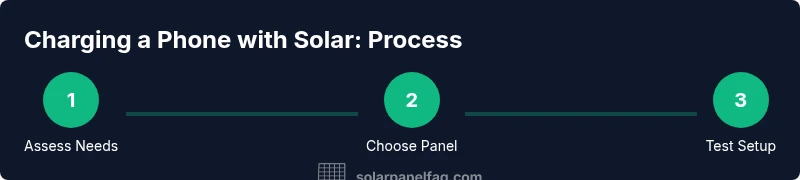
- 1
Assess your charging needs
Determine whether you’ll charge directly from a panel or primarily through a battery bank. Consider how often you’ll need to charge, typical daylight conditions in your area, and whether you want portability or a fixed outdoor setup.
Tip: Write down your daily charging windows to choose the right panel size and bank capacity. - 2
Choose a USB-output panel
Select a panel with a reliable USB port and stable output under typical sun. Avoid panels without a regulated USB output, which can surprise devices with voltage fluctuations.
Tip: Look for built-in protection features like overcurrent and short-circuit protection. - 3
Decide on a power bank or regulator
If using a bank, ensure it supports pass-through charging and has enough capacity to cover your expected daily use. If direct charging, ensure your regulator can maintain a safe USB output.
Tip: A modest bank often balances cost and practicality for everyday use. - 4
Set up in a sunny location
Place the panel where it receives direct sunlight for most of the day. Tilt toward the sun’s path and minimize shade from trees or structures.
Tip: Test in the morning and afternoon to confirm the best orientation for your space. - 5
Connect and test
Connect the panel to the charger or bank, then to your phone. Monitor whether charging starts promptly and whether the device stays cool.
Tip: Keep a close eye the first few minutes to ensure connections are secure. - 6
Assess performance and adjust
If charging is slow, adjust the panel angle, relocate for better sun exposure, or switch to bank-assisted charging during peak sun hours.
Tip: Regularly clean dust from panels to maintain efficiency.
Frequently Asked Questions
Can I charge a phone directly from a solar panel?
Yes, with a USB-output panel and proper regulation. Direct charging is simple but may be slower under variable sunlight.
Yes, you can charge directly if the panel has a regulated USB output; it’s simple but depends on sun conditions.
Do I need a battery bank to charge my phone with solar?
Not always, but a battery bank stabilizes charging when sun is inconsistent and can extend charging opportunities.
Not always, but a battery bank helps stabilize charging when sunlight is inconsistent.
Panel size needed for charging a phone?
Even a small USB-output panel can charge a phone in good sunlight; charging speed depends on sun and the phone’s battery.
A small USB-output panel can charge a phone in bright sun; speed depends on sunlight and your phone’s battery.
Is it safe to charge outdoors in the rain?
Do not charge in the rain. Use weatherproof equipment and store electronics indoors when not in use.
Charging outdoors in rain is unsafe; use weatherproof gear and bring devices indoors when it’s wet.
Where should I place the panel for best charging?
Face the panel toward the sun and adjust angle to follow the sun’s path for maximum exposure.
Point the panel at the sun and tilt it along its path for best charging.
Watch Video
Top Takeaways
- Assess your charging needs before buying.
- Choose a USB-output panel for direct or bank-assisted charging.
- Rely on a regulator or power bank to protect devices.
- Maximize sun exposure and panel angle for faster charging.
- Follow safety and maintenance tips to extend longevity.