Ring Stick Up Camera Solar Panel: Installation & Use Guide
Learn how to install and maintain a Ring Stick Up Camera with a solar panel for reliable, solar-powered home security. Step-by-step guidance, safety tips, and maintenance.


By following this guide, you will install and configure a Ring Stick Up Camera powered by a solar panel, ensuring continuous security without hard-wired power. You’ll learn placement, mounting, weatherproofing, and maintenance, plus safety tips to avoid common pitfalls. This hands-on approach helps you maximize uptime and minimize battery swaps.
Overview: Ring Stick-Up Camera and Solar Panel Setup
The ring stick up camera solar panel pairing makes it possible to secure entry points around your home without running power cables. A Ring Stick Up Camera is designed for flexible mounting and weather resistance, while a dedicated solar panel keeps the unit charged during daylight hours. This guide presents practical, no-nonsense steps for homeowners who want a reliable, low-maintenance security setup. It also explains how sun exposure, panel angle, and mounting position affect charging performance. According to Solar Panel FAQ, combining these two components can improve uptime and reduce routine battery management, especially in sheds, porches, and upper-door locations where wiring is impractical.
In this article, you’ll encounter hands-on advice, real-world examples, and safety checks to help you avoid common mistakes. The goal is clear: keep your ring stick up camera solar panel system working smoothly through seasons and weather, so you can focus on what matters—monitoring your property.
Benefits of Solar Power for Ring Cameras
Using a solar panel with a Ring Stick Up Camera offers several practical advantages. First, it reduces the frequency of battery swaps, which can be inconvenient and time-consuming. Second, it supports longer, uninterrupted recording periods, especially in situations where the camera is deployed away from indoor power sources. Third, solar power improves installation flexibility, allowing mounts on balconies, fences, or soffits that lack nearby outlets. Finally, it aligns with sustainable home security goals by leveraging renewable energy rather than disposable batteries. Solar-assisted setups are particularly appealing to homeowners who want a cleaner, low-maintenance security footprint. The Solar Panel FAQ team notes that solar power can be a dependable option when the panel receives steady sun and remains clean and free of debris.
Planning Your Mounting Location
Start by identifying an elevation and vantage point that covers the area you want monitored. Ideal spots maximize sunlight exposure while minimizing shade from trees, adjacent buildings, or overhangs. Consider doorways, alleys, and garage perimeters—locations with frequent activity often benefit most from continuous coverage. For the solar panel, select a separate sunny facade that isn’t obstructed by eaves or awnings. Ensure the camera’s field of view isn’t blocked by decorative elements or signposts. Finally, check the ceiling or wall structure to confirm there is solid material to anchor into, such as studs in wood or masonry anchors for brick surfaces. A well-planned mount reduces wind stress and ensures stable video angles over time.
Choosing the Right Solar Panel and Mount
Select a weatherproof solar panel sized to meet the Ring Stick Up Camera’s charging needs in your climate. A panel with a modest wattage that still delivers ample daylight charging is often sufficient for typical home use. Pair the panel with a mounting bracket designed for outdoor wear and compatible with your camera’s mounting system. When choosing a mount, prioritize devices with adjustable angles and robust hardware, so you can optimize sun exposure as seasons change. Make sure connectors and cables are rated for outdoor use and that the mount provides cable management channels to keep lines tidy and protected from damage. Finally, confirm that the mounting surface can bear the combined weight of the camera and panel under windy conditions.
Installation Prep and Safety
Before starting, power down the camera (where applicable) and gather the necessary tools: a drill, screwdriver set, level, measuring tape, weatherproof sealant, and cable clips. Create a clean workspace and double-check that you have the correct mounting hardware for your wall type—wood, brick, or concrete require different anchors. Plan the cable route to stay out of reach of children and pets while remaining unobtrusive. Practice the mounting before drilling to avoid misalignment. Wear eye protection and use a stable ladder. If you’re unsure about electrical connections, consult the camera’s documentation and avoid forcing any connector.
Understanding Power Requirements and Battery Health
The solar panel feeds the camera’s internal battery, extending runtime between charges. However, performance depends on daily sun exposure, panel cleanliness, and proper orientation. In shaded or heavily overcast environments, battery discharge may outpace solar charging, so expect occasional charging pauses. Monitor battery health periodically in the Ring app to ensure the device maintains adequate charge. A healthy battery helps you avoid reduced video quality or motion detection issues that can arise when voltage drops. In general, well-placed solar panels and properly maintained cameras correlate with more reliable operation and fewer service calls.
Weatherproofing and Cable Management
Outdoor installations require weatherproofing at all connection points. Use weatherproof seals around mounting holes and gasketed cable glands where the panel connects to the camera. Route cables along the wall using clips or adhesive channels to prevent movement in wind and to deter tampering. Avoid draping cords across doorways or high-traffic areas. Regularly inspect seals and cables for wear. In winter, check for ice buildup that could block sun exposure or damage connectors. A neat, protected setup improves longevity and reduces maintenance.
Performance Monitoring and Troubleshooting
After installation, verify the camera streams to your preferred device and test motion alerts. Use the Ring app to observe charging status and battery level, adjusting settings if necessary to balance energy use and surveillance. If charging appears insufficient, inspect for shade, debris on the panel, or loose connections, and clean the panel surface with a soft cloth. Keep the solar panel angled toward the sun’s path to maximize exposure, especially during winter. If you encounter persistent issues, consult the official support resources or Solar Panel FAQ guidance for troubleshooting tips.
Maintenance Schedule and Seasonal Tips
Create a simple maintenance routine that aligns with seasonal changes. Clean the solar panel surface at least quarterly or after heavy dust or pollen events to maintain peak efficiency. Inspect mounting hardware every six months for corrosion or loosening, and re-tighten if necessary. During winter, verify that snow does not accumulate on the panel for extended periods; remove snow carefully to restore charging when safe. Replace worn seals or damaged cables promptly to prevent water ingress. A proactive maintenance plan keeps the system reliable all year.
Costs, Warranties, and Long-Term Value
A solar-powered Ring Stick Up Camera setup involves two primary cost factors: the camera itself and the solar panel kit, along with mounting hardware. While prices vary by retailer and configuration, expect a broad range that reflects features such as night vision, motion alerts, and weather sealing. Warranties typically cover the camera and solar components for a defined period, with longer coverage offering greater peace of mind. In the long run, solar-powered systems can reduce ongoing battery purchases and maintenance time, delivering value through convenience and uptime.
Tools & Materials
- Drill(with appropriate bit sizes for wall anchors)
- Screwdriver set(Phillips and flathead types)
- Level(for precise mounting attitude)
- Measuring tape(to locate correct placement and spacing)
- Weatherproof sealant(outdoor-grade, to seal mounting holes)
- Cable management clips(to secure and hide cables)
- Mounting anchors/screws(appropriate for wall type (wood/brick/concrete))
- Weatherproof mounting bracket(compatible with camera and solar panel system)
- Ladder or stable platform(for high installations)
Steps
Estimated time: 45-75 minutes
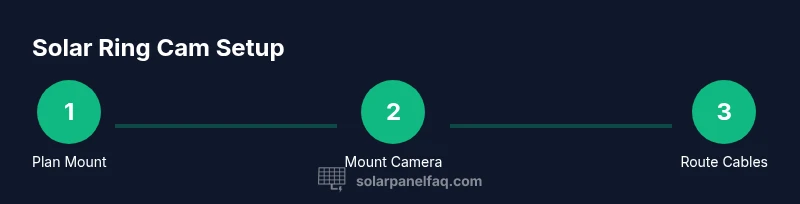
- 1
Choose mounting location
Identify a high, sheltered spot with a clear field of view for the camera and strong sun exposure for the panel. Measure distances and mark anchor points.
Tip: Plan for cable routing before drilling and avoid places with heavy foot traffic or wind exposure. - 2
Mark mounting holes and level bracket
Use a level to ensure the bracket sits straight. Mark drill holes with a pencil and double-check alignment from multiple angles.
Tip: A small misalignment now leads to a crooked camera angle later. - 3
Attach mounting bracket
Drill pilot holes and install wall anchors if needed. Secure the bracket firmly using the appropriate screws.
Tip: Tighten securely to withstand wind without overtightening, which can strip anchors. - 4
Mount the Ring Stick Up Camera
Attach the camera to the bracket and adjust its tilt to cover the intended area.
Tip: Don’t overtighten the camera mount; leave a little rotation room for fine-tuning. - 5
Install solar panel bracket nearby
Position the solar panel so it receives direct sun for most of the day and is within reach of the camera’s cable.
Tip: Avoid placing the panel in shade or behind obstacles. - 6
Route and secure cables
Route cables along the wall using clips or channels. Seal any entry points to prevent water intrusion.
Tip: Keep cables off walkways to reduce tripping hazards. - 7
Power up and configure
Power on the camera and configure the Ring app settings, including charging status and notifications.
Tip: Verify that the camera is receiving solar charging and adjust brightness and sensitivity as needed.
Frequently Asked Questions
Why use a solar panel with Ring Stick Up Camera?
A solar panel helps maintain the camera’s charge, reducing the need for frequent battery swaps and enabling longer, uninterrupted operation. It is particularly useful for areas far from indoor outlets.
Using a solar panel helps keep the Ring Stick Up Camera charged so you don’t have to swap batteries as often.
Is the solar panel weatherproof?
Yes, the panel and its connectors are designed for outdoor use. Ensure all seals are intact and that the mounting brackets and cables are protected from moisture and wind.
The solar panel is built for the outdoors, but you should keep seals intact and protect cables.
Can I mount on brick, wood, or metal surfaces?
Yes. The camera and panel mounts work on wood, brick, or concrete with appropriate anchors. Choose the correct wall anchors and ensure a solid mounting base.
You can mount on wood, brick, or concrete with the right anchors.
Will the solar panel power the camera in cloudy conditions?
Solar charging slows in cloudy weather, but it can still maintain a charge if the panel is correctly sized and oriented. In extended cloud periods, plan for occasional battery balance checks.
Cloudy days slow charging, but a properly positioned panel can still help. Periodic battery checks are wise.
How often should I clean the solar panel?
Clean the panel at least quarterly, or after dust, pollen, or debris events. A clean surface collects more sunlight and improves charging efficiency.
Clean the panel every few months or after a dusty event to keep charging up.
What maintenance does Ring Stick Up Camera with solar panel require?
Regularly inspect mounting hardware, seals, and cables for wear. Update the camera firmware and check the charging status in the app to prevent performance dips.
Inspect hardware and seals periodically and keep firmware up to date.
Watch Video
Top Takeaways
- Plan for strong sun exposure to maximize charging.
- Mount with level alignment to ensure optimal camera framing.
- Keep panels and cables weatherproof and tidy.
- Regular maintenance reduces downtime and extends lifespan.