Ring Outdoor Cam Plus Solar Panel: Power, Install, and Setup
A practical, step-by-step guide to powering a Ring Outdoor Cam with a solar panel. Learn placement, wiring, app setup, safety, and maintenance for reliable, low-maintenance outdoor monitoring.


Power your Ring Outdoor Cam with a solar panel by selecting a weather-rated outdoor panel that is compatible with the camera’s Power Kit, mounting it in a sunlit area, and running a weatherproof cable to the camera. Verify battery health in the Ring app and enable basic power-saving settings for reliable, low-maintenance operation.
Understanding the Ring Outdoor Cam plus Solar Panel
Powering a Ring Outdoor Cam with a solar panel can dramatically reduce ongoing maintenance and the need for battery replacements. This pairing works best when you choose a weather-rated solar panel that is compatible with the camera’s Power Kit, mount it in a sun-rich location, and run a weatherproof connection to the camera. As you plan, remember that the goal is steady charging and reliable operation even during extended periods away from home. According to Solar Panel FAQ, success hinges on proper sun exposure, durable connectors, and cautious routing to weatherproof the setup. Keep in mind that a well-tuned solar solution can support continuous monitoring, quick motion alerts, and uninterrupted live viewing without frequent trips to swap batteries.
Why solar charging makes sense for Ring cameras
Solar charging offers several advantages for Ring cameras. It can dramatically reduce the frequency of battery replacements, minimize downtime, and lower long-term maintenance costs. With a solar panel, you gain more consistent uptime for critical zones like doorways and driveways, especially when you can't easily reach the device. The approach also aligns with eco-conscious goals, as it leverages renewable energy and reduces waste from disposable batteries. For homeowners managing multiple cameras, solar can simplify power planning and expand coverage in remote areas where power access is limited.
Key considerations before you install
Before committing to a solar setup, evaluate sun exposure across seasons, potential shading from trees, and the panel’s mounting location. A direct sun path for most of the day yields the best results, while shaded spots can stall charging. Make sure the panel and its cables are rated for outdoor use, and confirm that the mounting surface is secure and weather-resistant. Consider cable length and routing to minimize wear and avoid tripping hazards. Finally, verify that your chosen panel is compatible with the Ring Outdoor Cam’s Power Kit and any required connectors.
Sizing and placement guide
Selecting the right panel size depends on daily charging needs and local sun availability. In practice, a larger panel provides more consistent charging, especially in temperate climates with varying daylight. Place the panel where it receives unobstructed sun for the majority of the day, oriented to maximize exposure. Avoid roofs or walls that are prone to heavy shade or snow accumulation. Use a weatherproof mounting bracket and secure all cables to prevent wind-related damage. The goal is dependable charging without frequent repositioning.
Mounting and securing your solar panel
Mount the solar panel on a sturdy surface using weatherproof brackets, avoiding loose fittings that could loosen in wind. Ensure the tilt angle approximates the sun’s path for your latitude, and adjust seasonally if possible. Keep the panel at least a few inches away from any heat sources or reflective surfaces that could cause overheating. Use cable clips or conduit to protect the connection from moisture and physical wear. Proper mounting reduces interruptions and extends the life of your solar setup.
Wiring connections and weatherproofing
Run the outdoor cable from the panel to the Ring Camera’s Power Kit with weatherproofing along every junction. Use grommets and outdoor-rated connectors, and seal any entry points to prevent water ingress. Route cables away from high-traffic areas and sharp edges, and avoid coiling excess cable where it could trap moisture or break from movement. Periodically inspect connections for corrosion or wear, especially after storms or heavy winds.
Battery health and Ring app monitoring
Once installed, monitor battery status in the Ring app to confirm charging is occurring as intended. Look for sustained or improving battery levels during typical daily cycles. If readings remain flat or decline, reassess sun exposure, panel orientation, and connection integrity. Routine checks help catch issues early and ensure the camera remains ready for notifications and live viewing.
Troubleshooting common issues
If charging seems inconsistent, verify that the panel is not shaded and that the cabling is secure. Check for loose connectors, damaged cables, or signs of moisture intrusion. A misaligned angle or a dirty panel can reduce charging efficiency. In some cases, you may need to reposition the panel or clean the surface to improve performance. Always power down the system before inspecting hardware to avoid motion-triggered false alerts.
Safety, warranties, and maintenance reminders
Follow manufacturer safety guidelines when mounting and wiring. Use only weather-rated components and avoid DIY shortcuts that bypass protective seals. Verify that your installation complies with local codes and does not void camera warranties. Regular maintenance—cleaning the panel surface, checking mounting integrity, and inspecting connectors—helps preserve performance and longevity.
Tools & Materials
- Weather-rated outdoor solar panel(Must be compatible with outdoor camera power kits and rated for exterior use)
- Power Kit or compatible mounting kit for Ring(Ensure connectors fit the camera model)
- Weatherproof outdoor cable(Protected from moisture; consider length for distance)
- Mounting brackets and screws(Corrosion-resistant hardware suitable for mounting surface)
- Drill with appropriate bits(For securing brackets and cable entries)
- Cable clips, conduit, or strain-relief(Keeps cable secure and protected)
- Safety gloves(Personal protection during installation)
- Voltage tester or multimeter(Optional for verifying connections)
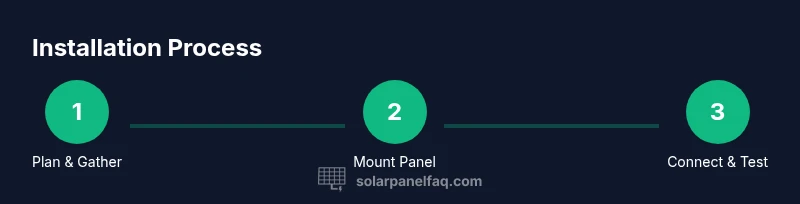
Steps
Estimated time: 60-90 minutes
- 1
Assess site and compatibility
Confirm the Ring Outdoor Cam can accept solar charging via its Power Kit. Check the camera model, connectors, and any required adapters. Plan a layout that minimizes shadow and ensures easy access for maintenance.
Tip: Choose a sunny, unobstructed spot with a clear line of sight to the camera’s field of view for best performance. - 2
Gather required tools and materials
Assemble the solar panel, Power Kit, weatherproof cable, and mounting hardware. Lay out the parts in the deployment area to verify you have everything before starting.
Tip: Dry-fit brackets first to ensure proper clearance and cable routing options. - 3
Position the solar panel for maximum sun
Place the panel where it receives direct sun for the majority of the day, avoiding shaded areas. Use a compass or app to estimate optimal orientation for your latitude.
Tip: If your location experiences seasonal shading, consider a slightly adjustable mount to track sun year-round. - 4
Mount the solar panel securely
Attach brackets to a solid surface using corrosion-resistant screws. Ensure the panel is firmly mounted and angled to catch sunlight without risk of dislodgement in wind.
Tip: Tighten hardware firmly but avoid over-tightening that could crack mounting points. - 5
Route and protect the cable
Run the outdoor cable from the panel to the camera, using clips or conduit. Keep entries weatherproof and avoid where water can pool.
Tip: Use weatherproof seals at any entry point to prevent moisture ingress. - 6
Connect to the Ring Power Kit
Connect the panel to the camera via the Power Kit or approved adapter. Double-check connectors fit securely and that the cable remains free of tension.
Tip: Power off devices before making connections to reduce risk of sparks or shorting. - 7
Configure app settings for solar charging
Open the Ring app and verify the camera reads charging activity. Enable any available power-saving modes or motion settings tailored for solar charging.
Tip: Set alerts for battery level changes so you notice when charging slows. - 8
Test and monitor
Leave the system to run and monitor battery and panel performance over a few days. Check for stable charging, confirm no loose connections, and adjust as needed.
Tip: Document a quick monthly check routine to catch issues early.
Frequently Asked Questions
Can the Ring Outdoor Cam run completely on solar power?
Yes, a solar setup can power the camera if the panel and Power Kit provide sufficient charging. Regular monitoring of battery levels is advised to ensure consistent operation.
Yes, solar can power the camera if the panel keeps it charged; monitor the battery levels to stay running smoothly.
Is a third-party solar panel compatible with Ring Outdoor Cam?
Third-party solar panels can work if they are weather-rated and compatible with the Ring Power Kit connectors. Confirm that the connectors fit and that the setup remains weatherproof.
Third-party panels can work as long as they’re weather-rated and fit the Power Kit connectors; verify weatherproofing.
Where should I mount the solar panel for best charging?
Mount in a sunny, unobstructed spot with a clear sun path for most of the day. Avoid shaded areas and ensure cables won’t be damaged by weather or foot traffic.
Choose a sunny, unobstructed spot and keep cables safe from weather and wear.
Will installing a solar panel affect the camera warranty?
Using approved, weather-rated solar components and proper installation typically preserves warranties. Always review vendor terms and warranty details for your camera model.
Warranty terms vary; use approved parts and correct installation to protect coverage.
Do I need to remove the battery when using solar charging?
In most setups powered by solar, the battery remains in the camera and is charged through the Power Kit. Removal is not usually required unless specified by the manufacturer.
Usually you keep the battery in and let the solar setup charge it.
How can I monitor charging status from the app?
Open the Ring app to view battery level and charging indicators. Use these metrics to adjust panel placement or settings for optimal charging.
Check the battery status in the Ring app and adjust as needed for best charging.
Watch Video
Top Takeaways
- Plan a sun-friendly location with weatherproof connections
- Choose a compatible solar panel and Power Kit
- Route and secure cabling to protect against the elements
- Monitor charging via the Ring app and adjust settings as needed