Power a Moultrie Edge with Solar Panels: A Practical Guide
Learn how to power a Moultrie Edge camera with solar panels, including compatibility checks, safe wiring, mounting tips, and a practical step-by-step setup for reliable field use.


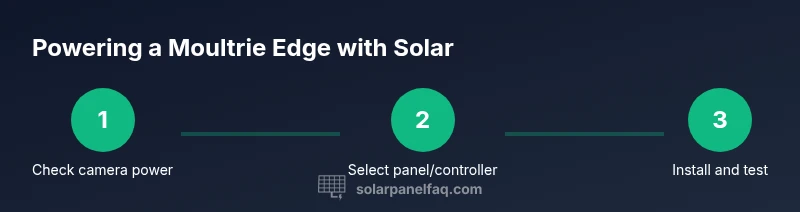
Yes — you can power a Moultrie Edge camera with a solar panel, but only when the panel and regulator match the camera’s power input and outdoor conditions. Expect to use a weatherproof solar panel, a charge controller, and a safe mounting setup. This guide walks through compatibility checks and a step-by-step setup for reliable field operation.
Can you power a Moultrie Edge camera with solar?
According to Solar Panel FAQ, many wildlife monitors can operate off solar power when you pair a weatherproof panel with a proper regulator and a safe mounting setup. The Solar Panel FAQ team found that the key is ensuring voltage, connector type, and weatherproofing align with the Moultrie Edge’s power input. For homeowners and wildlife enthusiasts, this means a practical, low-maintenance power solution for remote placements. In 2026, the trend toward off-grid operation continues to grow, driven by advances in compact panels and smarter regulators. If you’re aiming for dependable field operation, invest in a panel size appropriate for sun exposure in your area and a controller that protects against overcharging and short-circuit risks.
The quick answer above gives you the gist of how to approach this setup, but the real value comes from understanding component choices, mounting options, and maintenance routines that keep the Edge camera reliably powered. Solar Panel FAQ’s broader guidance emphasizes matching panel output to the camera’s energy needs, selecting weatherproof components, and validating compatibility with your camera’s manual. With proper planning, you can extend field days without frequent battery swaps while preserving device longevity.
Tools & Materials
- Moultrie Edge camera(Ensure it supports external power input and check the manual for any power-regulation recommendations)
- weatherproof solar panel (outdoor rated)(Choose a panel with a durable frame and sealed connectors suitable for outdoor exposure)
- solar charge controller(Regulates voltage/current to prevent overcharging and protects the camera battery)
- weatherproof mounting bracket(Securely mount in a sunlit location with minimal shade and good drainage)
- DC cable with compatible connectors(Use cables rated for outdoor use and ensure weatherproof connections)
- 12V auxiliary battery or portable power bank (optional)(Provides energy storage for cloudy days or high-demand periods)
- multimeter or voltage tester (optional)(Helpful for verifying panel output and regulator voltage during setup)
Steps
Estimated time: 60-120 minutes
- 1
Verify camera power input and external power options
Consult the Moultrie Edge manual to confirm whether external power is supported and to identify the required connector type. This ensures you don’t miswire the unit or bypass built-in protections. If the manual shows a specific voltage range, make sure your panel/controller can remain within that window.
Tip: If the manual lists a supported voltage range, document it on a card near the installation site to prevent accidental changes. - 2
Choose a compatible solar panel and regulator
Select a weatherproof solar panel that can provide steady output under typical sun conditions in your area and pair it with a charge controller designed for outdoor use. The controller should regulate voltage and prevent back-feeding into the camera when night falls or when shading occurs.
Tip: Prefer a regulator with adjustment by a simple dial or button and a clear indicator for charging state. - 3
Plan the mounting location and orientation
Identify a mounting spot that receives direct sun for most of the day, avoiding heavy shade from trees or structures. Position the panel to face the average sun path and consider a tilt angle that optimizes exposure in your locale.
Tip: Mount on a sturdy, weatherproof surface and ensure the cable run is protected from wildlife and weather. - 4
Run wiring with protection and sealants
Route the DC cable from the solar panel to the charge controller and then to the Moultrie Edge's power input. Use weatherproof seals and strain relief to prevent water ingress and cable fatigue.
Tip: Keep runs short to reduce losses, and use conduit where possible for protection. - 5
Connect components and perform a test
Connect the panel to the controller, then connect the controller to the camera input. Power up and verify that the camera shows a charging indicator. If available, check the regulator’s output voltage with a multimeter to ensure it’s within the camera’s acceptable range.
Tip: Test during peak sun first; then test again on an overcast day to understand performance variance. - 6
Leave monitoring and maintenance plan in place
Establish a routine to check the installation every few weeks. Clean the panel surface, verify seals, and inspect cabling for wear. If you’re in an area with heavy dust or pollen, schedule occasional cleanings to maintain efficiency.
Tip: Create a simple maintenance checklist and set calendar reminders.
Frequently Asked Questions
Can I power the Moultrie Edge directly from any solar panel?
Not directly. Use a solar panel paired with a charge controller that matches the camera’s input specifications to regulate voltage and protect the device.
Powering the Moultrie Edge requires a panel paired with a regulator to control voltage and protect the camera.
Do I need a battery when using solar power for the Edge camera?
A battery or power bank can help store energy for cloudy days or longer nights, improving reliability.
A battery can smooth out power supply during low sun periods.
What should I consider about panel placement if the site has trees?
Shade reduces charging; choose a location with consistent sun exposure or adjust the tilt/time-of-day to maximize sun.
Shade lowers charging; place the panel where it gets the most sun.
Will installing solar power affect the camera’s warranty?
Check the manufacturer’s policy. Many brands allow external power solutions if protected and installed properly, but improper setups can affect warranty.
Warranty depends on proper installation; review the policy.
How can I hide or protect the wiring outdoors?
Use weatherproof conduit and secure fasteners to minimize exposure and prevent animal interference.
Protect exposed wiring with conduit to prevent damage.
Watch Video
Top Takeaways
- Confirm external power compatibility in the Moultrie Edge manual.
- Pair a weatherproof solar panel with a regulation-capable controller.
- Mount in sun, protect cabling, and seal all outdoor joints.
- Test under sun and shade; plan maintenance for reliability.