How to Manage Solar Panels: A Practical Guide for Homeowners
Learn practical steps to manage solar panels effectively, including maintenance routines, cleaning, safety, monitoring, and when to call professionals for optimal performance and longevity in 2026.


This guide shows homeowners how to manage solar panels effectively, covering planning, routine cleaning, performance monitoring, safety practices, and optimization strategies. By following practical steps, you’ll protect your investment, maximize energy production, and extend the life of your solar system.
What it means to manage solar panels
Understanding how to manage solar panels starts with recognizing that solar care is ongoing, not a one-time task. This guide explains fundamentals, from system topology to routine upkeep, and it emphasizes proactive monitoring and safety. For homeowners, effective management means consistent performance, longer equipment life, and steadier energy savings. According to Solar Panel FAQ, successful management combines informed planning, regular inspections, and timely interventions to prevent small issues from becoming costly repairs. This perspective helps frame the rest of the process and keeps you focused on practical, achievable steps.
Assessing your roof, orientation, and shading for management readiness
Before you touch anything, evaluate how your roof and system are set up. Check that panels face the optimal direction, observe shading from nearby trees, vents, or chimney stacks, and note any debris buildup that could reduce output. Recordilly, take photos from multiple angles to track changes over time. Solar Panel FAQ analysis shows that even minor shading on a few modules can disproportionately affect overall performance; understanding your layout helps you plan targeted maintenance rather than broad, unnecessary work.
Cleaning and visual inspection for peak performance
Clean panels only when necessary and with non-abrasive methods. Use a soft brush or sponge, plain water, and a mild soap if needed. Avoid harsh cleaners, high-pressure washers, or climbing on slick surfaces. Inspect for cracks, loose mounting hardware, and loose wiring insulation. Regular cleaning and checks help sustain efficiency and prevent micro-cracks from expanding. For best results, perform cleaning on cool surfaces and dry directions to minimize streaks and residue.
Monitoring performance data and diagnosing issues
Track energy production vs. expected output using the inverter’s monitoring app or your system’s dashboard. Look for gradual drops, unexpected fluctuations, or frequent faults. If something looks off, compare current data with your baseline and note dates of changes such as weather events or maintenance. Monitoring helps you catch issues early, whether it’s shading, soiled panels, or a failing inverter. The Solar Panel FAQ Team recommends establishing a monthly review routine to maintain a clear picture of your system’s health.
Safety first: working with solar panels and electrical systems
Safety comes first when touching any solar hardware. Always wear appropriate PPE, keep hands dry, and avoid wet surfaces. Do not lean on panels or reach across hot components. If you must work near wiring, shut off DC disconnects and use a non-contact voltage tester to verify live circuits before handling connectors. Remember, electrical work carries risk; taking precautions protects you and preserves warranties.
DIY vs professional: knowing when to call a pro
Many tasks are doable by homeowners, such as light cleaning and basic inspections. More complex tasks—like repairing damaged wiring, evaluating inverter health beyond the dashboard, or working on a roof—benefit from a licensed technician. If you’re unsure, err on the side of safety and contact a pro. This decision preserves system performance and keeps warranty protections intact.
Optimizing efficiency with upgrades and storage integration
If performance trends downward, consider upgrades such as microinverters, optimizers, or a storage solution like a battery system to balance generation and usage. Storage can increase self-consumption and reduce grid reliance, but assess your climate, the system’s age, and available space. Always weigh the upfront costs against long-term savings and local incentives, and ensure upgrades comply with your inverter and panel compatibility.
Record-keeping, warranties, and long-term planning
Maintain a maintenance log detailing dates, findings, and actions taken. Keep warranty documents, installation receipts, and service notes in a centralized folder. Regularly review the manufacturer’s warranty terms and service agreements to understand coverage limits for panels, inverters, and racking. Long-term planning should include a review of panel degradation estimates, potential replacement timelines, and financing options if upgrades or storage are considered.
Common myths vs. practical tips for homeowners
Myth: Cleaning voids warranties. Reality: Most warranties aren’t voided by simple cleaning if you follow manufacturer guidelines. Myth: All panels are created equal. Reality: Different brands and models have varying performance and degradation rates; manage them accordingly. Practical tip: schedule seasonal checks, keep plants trimmed, and monitor output against a baseline to identify anomalies early.
Tools & Materials
- Ladder stable and rated for height(Use a three-point contact rule when climbing; secure base on level ground.)
- Safety harness and fall protection(Required for roof access on slopes or when working near edges.)
- Insulated gloves(Protect hands from electrical components and sharp edges.)
- Non-scratch microfiber cloths(For gentle cleaning and streak-free results.)
- Soft-bristled brush or sponge(Used with water/soap for dirt removal.)
- Garden hose with spray nozzle(Cool water rinse; avoid pressure washers.)
- Bucket and mild soap(Simple, effective cleaning solution.)
- Non-contact infrared thermometer or IR camera(Optional tool to scan for hot spots.)
- Digital multimeter(Only if you’re trained to test wiring and connections.)
- Camera or smartphone for photos(Document condition and changes over time.)
Steps
Estimated time: Estimated total time: 1 hour 30 minutes
- 1
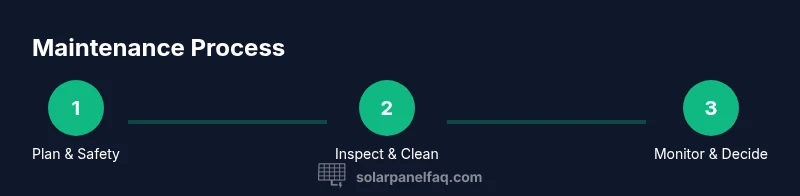
Plan and prepare safely
Identify tasks, gather tools, and set up a safe work zone. Check weather, wear PPE, and establish an escape route. Planning prevents rushed, risky moves and helps you follow a clear sequence.
Tip: Always review safety protocols before starting any rooftop work. - 2
Shut down and isolate the system
Turn off the DC disconnects and the inverter as a precaution. Verify the circuits are de-energized using a tester if you’re trained to do so.
Tip: Never bypass safety switches; assume all wiring could be live. - 3
Visually inspect panels and mounting
Look for cracks, loose fasteners, or discoloration. Check for shading changes from new growth or debris and note any signs of wear on wiring or connectors.
Tip: Take photos from multiple angles to track changes over time. - 4
Clean panels if needed
Use a soft brush or sponge with plain water; avoid harsh cleaners and high-pressure water. Clean in shade or cool conditions to prevent streaking and thermal stress.
Tip: Rinse thoroughly to prevent soap residues that reduce output. - 5
Check electrical connections and inverters
Inspect wiring conduits, DC cables, and the inverter display for fault codes. Do not attempt wiring repairs beyond your training.
Tip: Document any error codes and compare them with the manufacturer guide. - 6
Review production data
Open the monitoring dashboard and compare current production to your baseline. Look for persistent drops and correlate with weather, shading, or cleaning.
Tip: Set a monthly benchmark to catch anomalies early. - 7
Plan improvements if needed
If performance lags, consider targeted upgrades—better mounting, modules with lower degradation, or storage integration. Ensure compatibility with your current inverter and panel specs.
Tip: Check local incentives for upgrades and potential rebates. - 8
Document findings and schedule follow-up
Record actions taken, dates, and next inspection window. Schedule the next check when performance diverges from baseline or after major environmental events.
Tip: Keep a simple log you can reference during future maintenance.
Frequently Asked Questions
How often should I clean solar panels for optimal performance?
Most panels benefit from cleaning when dirt or dust noticeably reduces output. In dry or dusty climates, this can be every 6–12 months; in wetter regions it may be less frequent. Always align cleaning with manufacturer guidance and performance data.
Clean when you notice a drop in output, usually every 6 to 12 months depending on weather and dust.
Is it safe to clean panels from the ground or do I need to go on the roof?
Ground-level cleaning is possible for many installations with a long-handled tool and a gentle stream. Roof access requires fall protection, weather caution, and potentially a professional if the system is high or complex.
Ground cleaning is safer if you can reach; if you must go on the roof, use safety gear and avoid wet conditions.
Do I need to shut off the system before maintenance?
Yes. Turn off the DC disconnects and the inverter before touching any wiring or panels to prevent electric shock. This is a standard safety practice recommended by manufacturers.
Always shut down the system before maintenance to avoid shocks or arc faults.
Can I monitor performance myself with apps and dashboards?
Most systems include a monitoring app or dashboard showing real-time production, historical trends, and fault codes. Regular review helps you spot anomalies and plan maintenance.
Yes. Most systems offer apps to monitor production and catch issues early.
How long do solar panels typically last, and what about warranties?
Most solar panels come with 25–30 year warranties, with gradual degradation over time. Inverters may have shorter warranties and sometimes require replacement during the system’s life.
Panels usually last decades, but inverters may need replacement as they age.
When should I hire a professional for maintenance?
If you encounter damaged wiring, unfamiliar fault codes, or roof access issues, hire a licensed technician. Professional service helps protect warranties and ensures safety.
Call a licensed pro for complex repairs or on-roof work to keep warranties valid.
Watch Video
Top Takeaways
- Plan and safety-first approach prevents accidents
- Regular cleaning and inspections sustain efficiency
- Monitor data to catch performance drops early
- Know when to call a professional for complex tasks