Is It OK to Leave Solar Panels Connected to a Battery? A Practical Guide
Learn when it's safe to leave solar panels connected to a battery, and how charge controllers, battery types, weather, and wiring influence safety and performance.


Yes, you can generally leave solar panels connected to a battery if the system is properly configured with a suitable charge controller and safe wiring. The controller prevents overcharging, adapts to battery type, and maintains safe operation. This guide explains when it's safe, what to monitor, and best practices to avoid common pitfalls.
Understanding the core components: panels, controllers, and batteries
A typical solar setup routes energy from panels through a charge controller into a battery bank, with optional loads or an inverter drawing power later. The panel array generates DC voltage and current that vary with sunlight. The charge controller regulates charging voltage and current to protect the battery from overcharging, excessive current, and thermal stress. The battery stores energy for use when the sun isn’t shining. In most homes, leaving the panel connected to the battery is safe if the controller is correctly sized for the array and the system wiring is solid. According to Solar Panel FAQ, the governing principle is to prevent overcharging and overheating; a well-matched controller and quality connections minimize risk. If the system uses an undersized controller or damaged wiring, continuous connection can become unsafe and should be addressed promptly.
When is it safe to leave panels connected
Safety hinges on proper matching and maintenance. You can generally leave panels connected when:
- The charge controller is rated for the panel current and battery type, with automatic overcharge protection.
- Wiring and terminations are intact, secure, and free of corrosion.
- The battery type supports the charging regime (e.g., flooded lead-acid, AGM, gel, or Li-ion with a suitable BMS).
- Proper ventilation is available for venting gases from certain battery chemistries.
- There is a clear disconnect or safe switch accessible for maintenance or emergency shutdown.
Always verify that the controller’s settings reflect your battery chemistry and that the system is protected against short circuits and reverse polarity. A setup that meets these conditions reduces the likelihood of unsafe conditions during continuous operation.
Risks and failure scenarios to watch for
Even with a seemingly simple setup, several risks can arise if care isn’t taken. Overcharging can lead to gas buildup, electrolyte loss, and reduced battery life in certain chemistries. Loose or corroded connections can create heat and fire hazards, especially at higher currents. Temperature extremes influence charging efficiency and can accelerate battery aging. If a system lacks appropriate protection or monitoring, gradual issues such as sulfation (in lead-acid) or thermal runaway (in some Li-ion chemistries) may occur. Regular inspections and timely replacements are essential to avoid hidden failures.
How to size and configure a charge controller for safe, long-term operation
Choosing the right charge controller is central to safe continuous operation. Decide between MPPT and PWM based on your array voltage, battery chemistry, and climate. MPPT controllers are generally more efficient and flexible, especially when panel voltage is high relative to battery voltage. Ensure the controller’s maximum input current rating meets or exceeds the panel’s short-circuit current, with a comfortable safety margin. Verify that the controller supports your battery chemistry and includes proper equalization, temperature compensation, and low-voltage disconnect features. Finally, use correctly rated cables, appropriate fusing, and secure connections to minimize resistance and heat at all connection points.
Battery technologies and best practices for staying connected
Different battery chemistries require different charging strategies. Flooded lead-acid and AGM batteries benefit from controlled charging, adequate ventilation, and periodic equalization as recommended by the manufacturer. Gel batteries have specific voltage limits and temperature sensitivities. Lithium-ion packs require a Battery Management System (BMS) that manages cell balance and protection; the solar controller and BMS together determine whether permanent connection is appropriate. In all cases, ensure the controller’s settings align with the battery’s current and voltage specifications, and that protection features (like overcurrent and overvoltage protection) are enabled. Regularly inspect connectors and cables for wear and replace components that show signs of damage.
Monitoring, maintenance, and troubleshooting for continued safety
Establish a routine to monitor voltages, temperatures, and connection integrity. Use a multimeter to verify panel open-circuit voltage and battery voltage at regular intervals, especially after weather changes or maintenance. Keep a log of readings to spot trends indicating aging or impending failure. If you notice swelling, unusual heat, frequent disconnect events, or corrosion, disconnect the array and consult a professional. Maintain clearances around the equipment, ensure good ventilation, and avoid touching live DC conductors without proper PPE. Regular checks reduce the chance of unexpected outages or safety incidents.
Authority sources and next reading
For foundational guidance, consult authoritative sources such as the U.S. Department of Energy and National Renewable Energy Laboratory. These sources provide guidelines on panel-to-battery connections, safety practices, and system sizing. In addition, manufacturer manuals for your charge controller, battery, and any inverters contain the specifics you must follow for your exact hardware.
Quick-start checklist when leaving panels connected
- Verify controller rating matches the array and battery chemistry.
- Inspect all wiring and connections for signs of wear.
- Confirm proper ventilation for the battery bank.
- Enable safety features on the controller (low-voltage disconnect, temperature compensation).
- Plan regular monitoring and maintenance sessions.
Tools & Materials
- Safety gear (gloves, eye protection)(Electrical-rated gloves recommended; use face shield for added protection)
- Multimeter or DC voltage tester(Check panel Voc and battery voltage safely)
- DC disconnect switch or fused disconnect(To safely isolate the array when needed)
- MC4 connector tool or pliers(Inspect and secure connectors without damage)
- Wire stripper/crimper(Repair or reterminate wiring as needed with proper gauge)
- Electrical tape or heat shrink(Insulate any exposed conductors after inspection)
- Battery and controller manuals(Have the exact specs on hand during setup)
- Non-conductive mat or stand(Provide safe working surface and raise components off metal surfaces)
Steps
Estimated time: 30-60 minutes
- 1
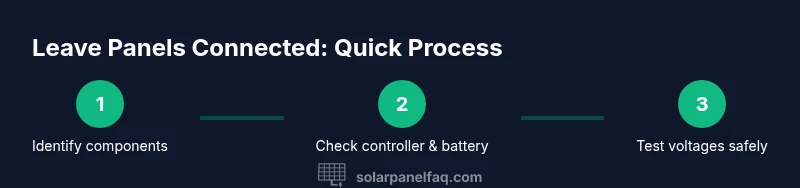
Identify system components
Document the panel array, charge controller, battery bank, and any loads. Note each component’s model and rated values. This helps you verify compatibility and safe operating ranges before making changes.
Tip: Keep a system diagram handy for quick reference. - 2
Check controller type and ratings
Confirm whether your controller is MPPT or PWM and ensure its input current rating covers the panel current with a safety margin. Verify that it supports your battery chemistry and has temperature compensation enabled if available.
Tip: Avoid operating with an undersized controller; it’s a common risk factor. - 3
Inspect wiring and connections
Look for loose terminals, corrosion, damaged insulation, and frayed conductors. Tighten connections to the recommended torque and verify polarity. Replace damaged cables before continuing.
Tip: Use insulated tools and work with one person at a time to prevent short circuits. - 4
Measure voltages to confirm safe conditions
With the system de-energized, measure panel Voc and battery voltage to confirm they are within safe ranges for the controller. If readings are unstable or extreme, do not proceed.
Tip: If in doubt, disconnect at the DC switch and recheck later. - 5
Decide on permanent connection or temporary disconnect
If all readings are within spec and the system is ventilated and secure, you can leave the panels connected. If any risk is detected, use a safe disconnect and address issues first.
Tip: Always err on the side of safety when uncertain. - 6
Set up ongoing monitoring and maintenance
Establish a routine to log voltages, temperatures, and connection integrity. Schedule seasonal checks and replace worn components promptly.
Tip: A simple notebook or digital log helps catch trends early.
Frequently Asked Questions
Can I leave my solar panel connected to the battery all day, every day?
Yes, if your controller and battery are properly sized and maintained, continuous connection is generally safe. Always ensure overcharge protection is active and monitor for signs of wear.
Yes, you can leave it connected daily as long as the system is properly sized and monitored.
What happens if the battery gets overcharged?
Overcharging can cause gas buildup, swelling, and reduced battery life, depending on chemistry. Modern controllers prevent this, but you should still monitor voltage and temperature.
Overcharging can damage the battery; modern controllers help prevent it, but monitor regularly.
Is it safe to connect a Li-ion battery directly to solar panels?
No. Lithium batteries require a Battery Management System and appropriate charging control. Always use a compatible controller and follow the manufacturer guidelines.
No—Li-ion cells need proper BMS and controller protection.
Do I need to disconnect in cold weather?
Cold weather can affect charging efficiency and chemical reactions. Check battery and controller manuals for temperature guidance and adjust settings if needed.
Cold weather may require adjustments; follow the manuals for safe operation.
What should I do if I see corrosion or loose terminals?
Stop using the system, disconnect safely, inspect and clean connections, and replace corroded components. Re-test before re-energizing.
If you see corrosion, disconnect and inspect before powering again.
Watch Video
Top Takeaways
- Verify controller and battery match before leaving panels connected
- Regularly inspect connections and ventilation to prevent hazards
- Use proper safety gear and disconnects during maintenance
- Monitor readings to catch aging or degrading components early