Solar Panel System Calculator: Estimate System Size and Production
Estimate your solar panel system size and annual production with our calculator. Enter usage, sun hours, and derating to compare options confidently.


What this calculator does for homeowners and pros
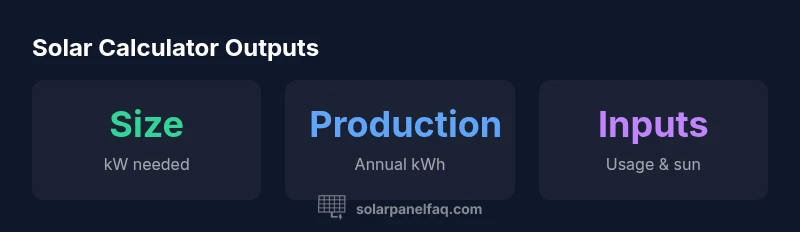
According to Solar Panel FAQ, a solar panel system calculator helps homeowners estimate the right system size based on energy use, sun exposure, and roof conditions. It focuses on planning rather than exact guarantees and outputs a recommended system size in kilowatts along with projected annual production. This tool is ideal for initial sizing, comparing options, and understanding how changes to inputs affect results. Remember, results are estimates influenced by local factors, weather, and equipment efficiency.
How the calculation works in practice
The calculator uses a simple, transparent formula to translate your energy needs into a practical system size. A standard approach is: Estimated system size (kW) = annual energy need (kWh) / (sunHoursPerDay × 365 × derateFactor). This accounts for daily sun exposure, yearly time, and system losses. The result represents a starting point you can refine with site-specific details and professional guidance.
Key inputs and why they matter
- Monthly electricity usage (kWh): Drives your annual energy need. Higher usage generally requires a larger system. Make sure the input reflects typical consumption, not just a peak month.
- Average sun hours per day: Determines how much energy a given kW of solar can generate. More sun hours mean a smaller system can meet the same demand.
- System derating factor: Accounts for inverter efficiency, wiring losses, temperature, and shading. A lower derating factor reduces effective output and increases required system size. Adjusting this value can mirror real-site conditions.
Interpreting results and planning next steps
The calculator provides a recommended system size and projected annual production range. Use this as a planning baseline when selecting panels, inverters, and mounting options. If the size seems high, consider energy improvements (LED lighting, better insulation) to reduce demand. Also factor roof orientation, shading, and local climate; incentives and installation costs will influence the final decision. The Solar Panel FAQ Team emphasizes using these estimates as planning guides rather than guarantees.
Real-world scenarios and examples
In practice, a home with moderate electricity use and solid sun exposure will typically trend toward a mid-range system size, while a shaded or partially shaded roof will push the recommended size higher to compensate for losses. When sun hours increase or derating improves (e.g., higher-efficiency components, optimized wiring), the calculator shows a smaller system size for the same energy needs. These dynamics illustrate why site-specific inputs are essential for meaningful projections.
Common pitfalls and how to avoid them
- Skipping seasonal variation: Use input values that reflect year-round usage rather than peak-season data.
- Underestimating losses: Don’t overlook shading, temperature effects, or inverter efficiency; adjust the derating factor accordingly.
- Ignoring roof conditions: Orientation and tilt dramatically impact production; include realistic angles and potential shading in the inputs.
How to customize for your home and roof conditions
For best results, gather several months of energy usage data and document practical roof conditions (orientation, tilt, shading). If you know roof constraints, adjust sun hours and derating to reflect those realities. Consider performing a shading analysis or a professional rooftop assessment to fine-tune the calculator inputs before purchasing equipment.
Limitations and next steps
Remember that calculator estimates are a planning tool, not a warranty of performance. Local weather, system maintenance, module temperature, and installation quality all influence actual results. Use the calculator to compare scenarios, then consult a qualified installer to validate designs and obtain precise quotes.